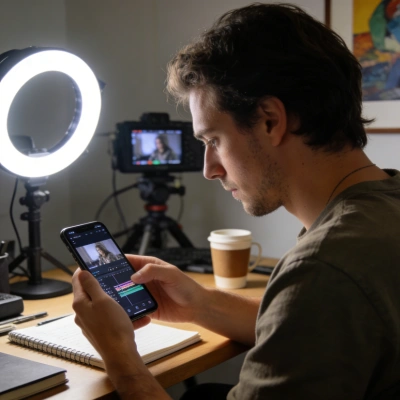
Content Creators & Video Editors
Use AI subtitle remover to remove subtitles from video before reposting on TikTok, YouTube Shorts, or Instagram. A fast caption remover from video helps refresh branded clips and eliminate hardcoded text overlays.
Upload a video and automatically remove watermarks or subtitles with AI
Click or drag video here
Supports MP4/MOV format, max 20MB, up to 10 minutes
Effortlessly remove subtitles, captions, or text overlays from vides, supporting MP4, MOV, MKV, WEBM, AVI and other video formats using FlowChartAI’s AI subtitle remover. Just upload video and automatically AI delete subtitles from video on demand.
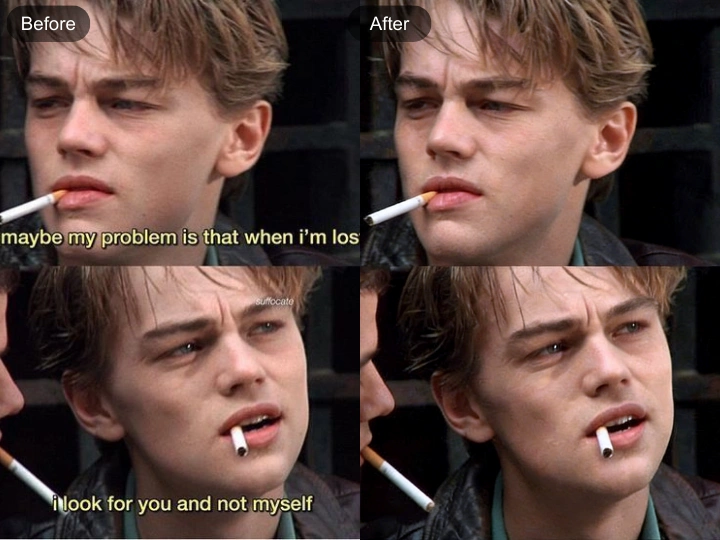
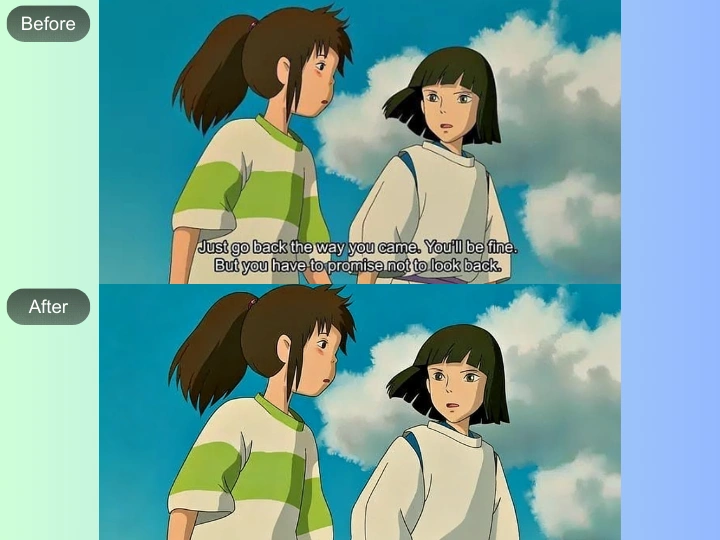
FlowChartAI’s AI video subtitle remover is an intelligent subtitle remover AI tool that automatically detects and removes hardcoded subtitles, captions and text overlays from videos in seconds. You can remove subtitles from video online free by simply uploading MP4, MOV, MKV, WEBM or AVI files—no editing skills required. Powered by advanced AI recognition and inpainting technology, this video caption remover precisely restores the original background after removing captions from video, delivering clean, natural-looking results. Whether you need a free subtitle remover from video for social clips, marketing assets, or repurposed content, FlowChartAI provides fast, secure, and high-accuracy subtitle removal directly in your browser.
Open AI subtitle remover and upload your local video file (MP4, MOV, MKV, WEBM, or AVI). The AI system automatically scans the video to detect subtitles and captions.
The subtitle remover AI identifies hardcoded text and removes subtitles from video using intelligent background restoration. You can preview how captions remover from video cleans the frame in real time.
Click download to remove subtitles from video online free and save the processed file. The video caption remover delivers a smooth, watermark-free result ready for reuse or republishing.
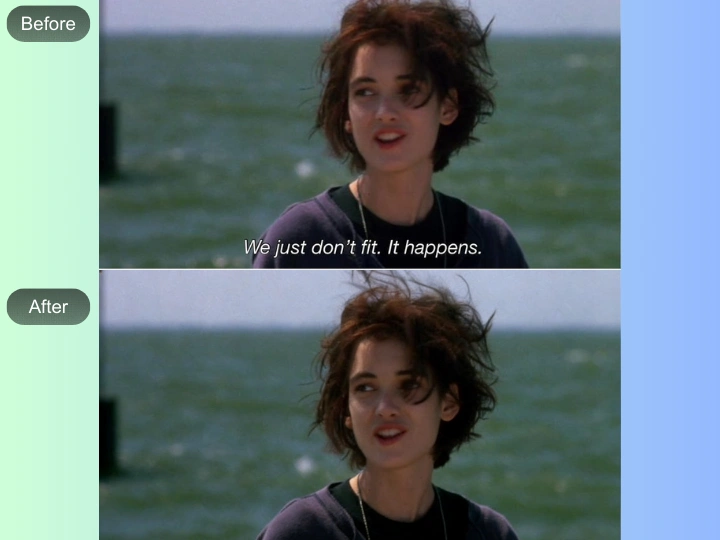
Use AI subtitle remover to remove subtitles from video before reposting on platforms like TikTok or Instagram. A built-in TikTok caption remover helps eliminate hardcoded text so you can reuse clips with new branding, updated messaging, or multilingual captions.
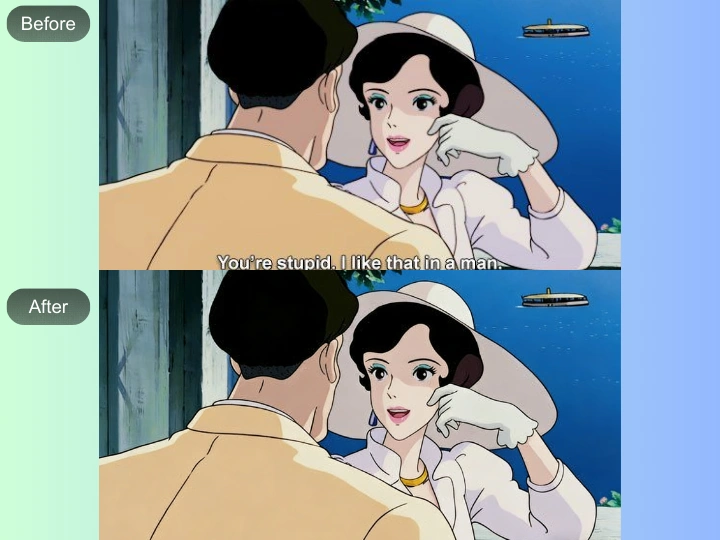
When working with archived or downloaded content, the video subtitle remover removes embedded text and restores the background using AI inpainting. This makes it easier to re-edit, crop, or localize videos without distracting overlays.
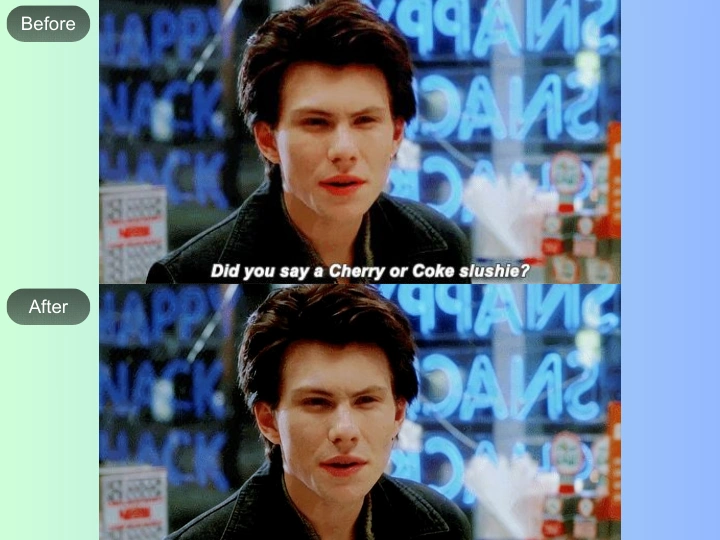
With the subtitle remover from video free tool, you can remove captions from video online free and add new translations tailored to different markets. This workflow is ideal for adapting tutorials, ads, or product demos across regions.
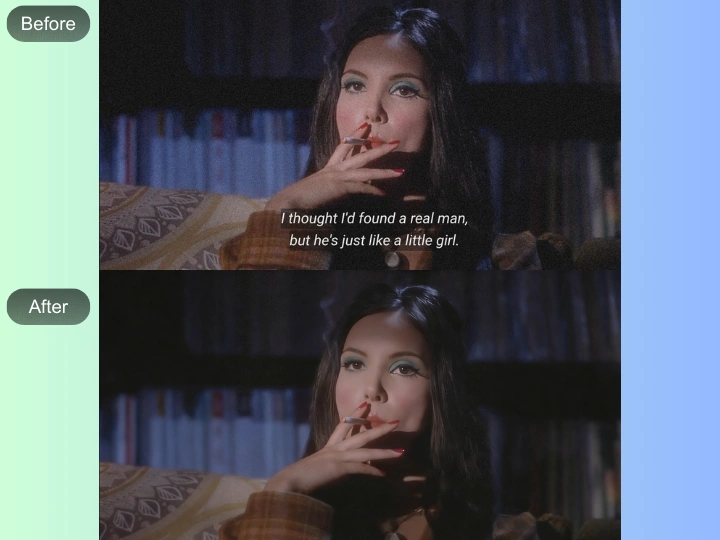
The AI caption remover helps clean recorded webinars, interviews, or training materials by removing unwanted text layers. By using a video caption remover free solution, you ensure polished visuals that look original and presentation-ready.
Use AI subtitle remover to remove subtitles from video before reposting on TikTok, YouTube Shorts, or Instagram. A fast caption remover from video helps refresh branded clips and eliminate hardcoded text overlays.

Remove captions from video online free to localize ads, product demos, and campaign assets. The video caption remover makes it easy to adapt one master video into multiple language versions without recreating footage.

With a subtitle remover AI, you can remove subtitles from video AI free and update training materials with clearer formatting or new translations, ensuring professional, distraction-free learning content.
FlowChartAI’s AI subtitle remover uses intelligent scene analysis to accurately detect hardcoded text and remove subtitles from video without damaging the background. Unlike basic tools, this subtitle remover AI applies smart inpainting to ensure the final output looks natural and artifact-free.
You can remove captions from video online free directly in your browser—no timeline editing or masking needed. This video subtitle remover free solution simplifies complex post-production tasks into a few clicks, making professional-grade caption removal accessible to everyone.
Whether you need a TikTok caption remover or a full-length video captions remover, the system supports MP4, MOV, MKV, WEBM, and AVI formats. With optimized AI remove subtitles from video processing, files are cleaned quickly while maintaining original resolution and video quality.