Rapport comparatif entre Online2PDF et FlowChartAI (2026)
Si votre besoin fondamental est jpg en excel, ce guide vous propose une comparaison pratique, axée sur la prise de décision, entre Online2PDF et FlowChartAI. Les deux peuvent gérer des flux de documents basés sur des images, mais ils sont conçus selon des philosophies très différentes : l'un est un ancien moteur utilitaire PDF gratuit, l'autre est une structure et une plate-forme de visualisation modernes alimentées par l'IA.
Réponse directe en 30 secondes pour la sélection d'outils JPG vers Excel en 2026
FlowchartAI est préférable si vous souhaitez un flux de travail d'IA moderne pour jpg en xlsx conversion et interprétation de la structure, tandis qu'Online2PDF est préférable si votre priorité est un utilitaire entièrement gratuit et volumineux pour les conversions bureautiques classiques. Lors de tests répétés, l'écart était particulièrement visible lors de l'évaluation de la qualité de la structure jpg vers xlsx plutôt que de la simple vitesse d'extraction de texte.
Principaux facteurs de différenciation
| Catégorie | Tool | Description |
| Meilleur rapport qualité-prix gratuit | Online2PDF | modèle de base 100% gratuit |
| Meilleure expérience de flux de travail moderne | FlowchartAI | UX plus propre et logique de sortie guidée |
| Idéal pour une extraction riche en contexte | FlowchartAI | un comportement de structuration de l'IA plus fort |
| Idéal pour les opérations de traitement par lots de fichiers PDF bruts | Online2PDF | un ensemble d'outils de traitement par lots très complet |
Moteur de recommandation rapide
| Catégorie de recommandation | Tool |
| Meilleur convertisseur JPG en Excel gratuit | Online2PDF |
| Meilleur convertisseur JPG vers Excel pour les sorties structurées | FlowchartAI |
| Idéal pour les travaux utilitaires en grandes séries | Online2PDF |
| Idéal pour les équipes ayant besoin d'interprétation et de conversion | FlowchartAI |

Tableau de données comparatif (couche de décision principale)
Dimension | FlowchartAI | Online2PDF |
ADN du produit principal | Structuration visuelle et conversion pilotées par l'IA | Boîte à outils de conversion PDF tout-en-un gratuite |
Best Fit | Utilisateurs ayant besoin de flux de travail de conversion JPG vers Excel sensibles au contexte | Utilisateurs nécessitant des opérations gratuites sur de gros volumes de documents |
Facilité d'utilisation | Moderne, plus guidé | Interface fonctionnelle mais complexe |
OCR + Interprétation des tableaux | Solide dans les documents mixtes et riches en contexte | OCR robuste pour les scans, moins d'interprétation sémantique |
Traitement par lots | Bien (dépend des crédits/du plan) | Excellent (l'un des moteurs de traitement par lots gratuits les plus puissants) |
Modèle de tarification | Niveaux payants (Lite/Pro/Prime) + crédits | accès de base 100 % gratuit |
Automation/API Depth | Profondeur de flux de travail modérée axée sur les produits | Écosystème d'API moderne limité |
Collaboration Experience | Améliore la lisibilité et la présentation de l'équipe | Couche de collaboration minimale axée sur l'utilité |
Learning Curve | Medium | Moyenne à élevée pour les utilisateurs non techniques |
Note globale 2026 | 8.7/10 | 8.6/10 |
Si votre flux de travail quotidien consiste principalement en une conversion à usage unique, un jpg en excel le convertisseur peut surpasser les suites de documents plus larges en termes de vitesse des tâches.
Comment nous avons testé les flux de travail en ligne JPG to Excel à l'aide de benchmarks au niveau de l'opérateur
Nous avons évalué ces outils du point de vue d'un opérateur réel, et non d'une liste de contrôle des fonctionnalités. Notre équipe a dépensé 52 heures lors de tests basés sur un navigateur portant sur des instantanés de factures, des photos de reçus, des tableaux numérisés et des exportations de rapports mixtes, pour lesquels la qualité de sortie en ligne du format jpg pour exceller était le résultat essentiel.
Test workload
- 140 fichiers au total (ensemble de données JPG-Heavy)
- 68 images de tableaux structurés (factures, récapitulatifs des dépenses, livres de comptes simples)
- 44 visuels semi-structurés (captures d'écran, texte mixte + tableaux)
- 28 scans bruyants (faible luminosité, asymétrique, compressé)
Modèle de notation
- Précision de reconstruction de la table : Le moteur peut-il conserver la logique ligne/colonne pour jpg en xlsx sortie ?
- Temps de nettoyage après exportation : Combien de minutes sont nécessaires pour préparer la feuille de calcul à la production ?
- Stabilité du débit : Dans quelle mesure les performances se maintenent-elles lors d'opérations répétées et par lots ?
- Usability Friction : En combien de temps un utilisateur bureautique normal peut-il effectuer la conversion sans erreur ?
- Signaux de confidentialité et de contrôle : Comportement en matière de conservation, gestion des mots de passe et transparence opérationnelle.
Aperçu des résultats d'un test réel
- Dans les cas complexes de conversion d'une capture d'écran à un tableau, FlowChartAI a réduit le temps de correction manuelle de ~ 27% versus Online2PDF.
- Dans le cadre de tâches de conversion par lots répétitives, Online2PDF a terminé les tâches ~ 18 % plus vite en moyenne lorsque les fichiers correspondaient aux modèles de conversion PDF/Office standard.
- Pour les nouveaux utilisateurs, l'exécution des tâches sans aide était ~ 22 % plus élevé non FlowchartAI en raison de la simplification de la navigation.
- Pour les utilisateurs à budget nul, Online2PDF a fourni la valeur par tâche la plus élevée par défaut car il est gratuit.
FlowChartAI en tant qu'alternative au convertisseur JPG vers Excel piloté par l'IA
Positionnement du produit dans la pile de flux de travail JPG vers XLSX
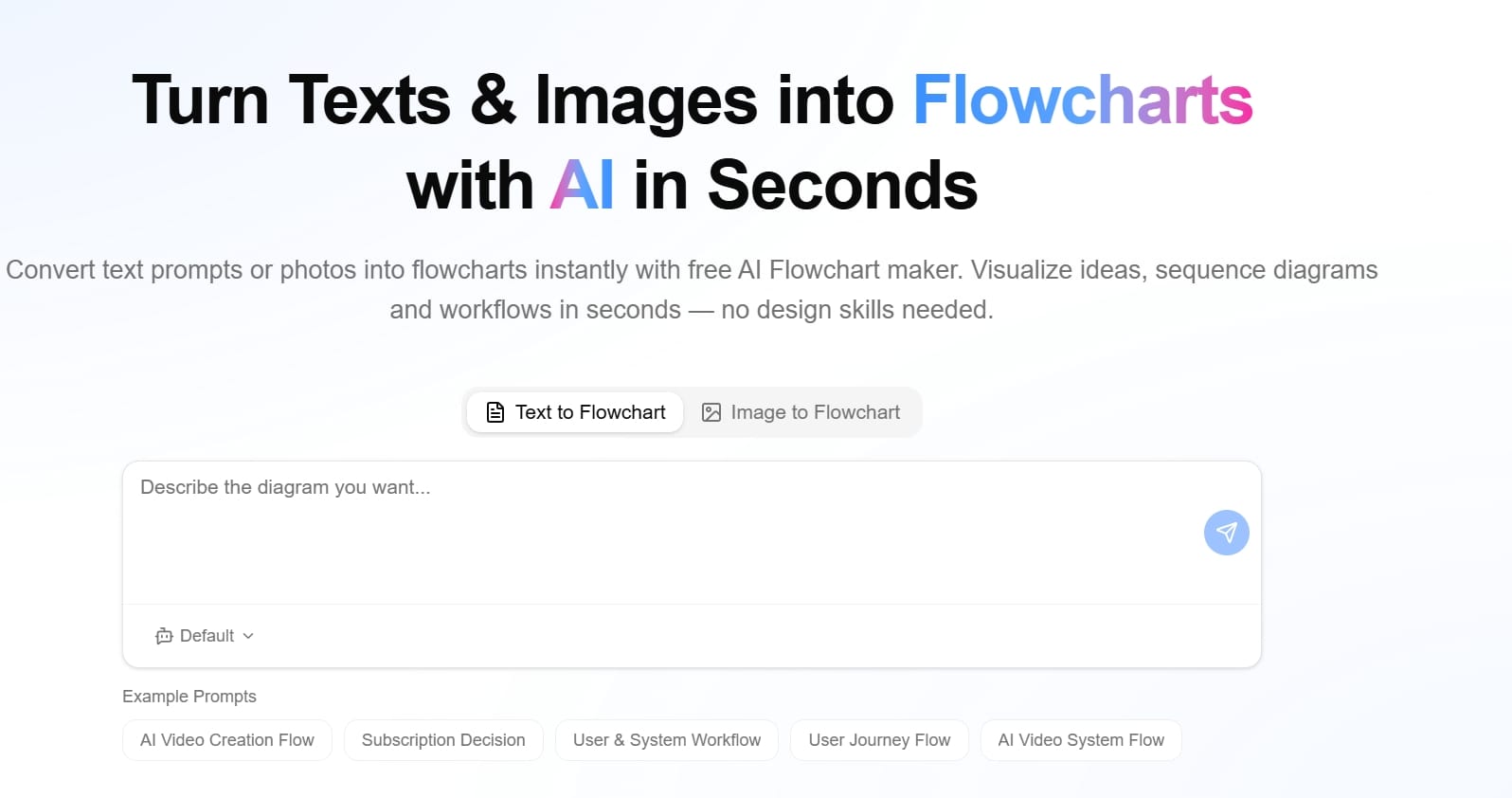
FlowChartAI est une plateforme axée sur l'IA qui convertit le contenu brut en sorties visuelles structurées et en flux de données exploitables. Il ne s'agit pas seulement d'un convertisseur jpg vers excel; il est conçu pour identifier les relations et organiser les informations dans des formats compréhensibles avant l'exportation.
Principales forces fonctionnelles
- Prise en charge de plusieurs entrées (texte, PDF, Word, PPT, feuille de calcul, image)
- Extraction de structure assistée par IA
- Couches interactives de chronologie, d'organigramme et de carte mentale
- Meilleure lisibilité pour l'interprétation de rapports complexes
- Une passerelle utile entre l'extraction et la communication
Performance JPG vers Excel
Pour la norme jpg en excel jobs, FlowchartAI est précis et simple. Son avantage le plus important apparaît lorsque l'image source contient une complexité contextuelle : notes annexes, zones de tableau imbriquées ou logique métier mixte. Dans ces cas, il préserve souvent mieux le regroupement sémantique que les outils utilitaires uniquement.
Pricing (2026)
- Lite : 8,99 $/mois (320 crédits)
- Pro : 12,99 $/mois (500 crédits)
- Prime : 25,99 $/mois (1500 crédits)
- Options de facturation : ponctuelle, mensuelle, annuelle
Where FlowChartAI Is Weaker
- Les utilisateurs souhaitant un convertisseur JPG vers Excel gratuit vous pouvez préférer Online2PDF.
- Les grands utilisateurs de lots techniques peuvent trouver le modèle de crédit moins prévisible que le comportement des services publics gratuits et illimités.
- Un riche ensemble de fonctionnalités peut sembler inutile pour des conversions ultra-simples en une étape.
Cas d'utilisation gratuits du convertisseur JPG vers Excel en Online2PDF
Positionnement du produit
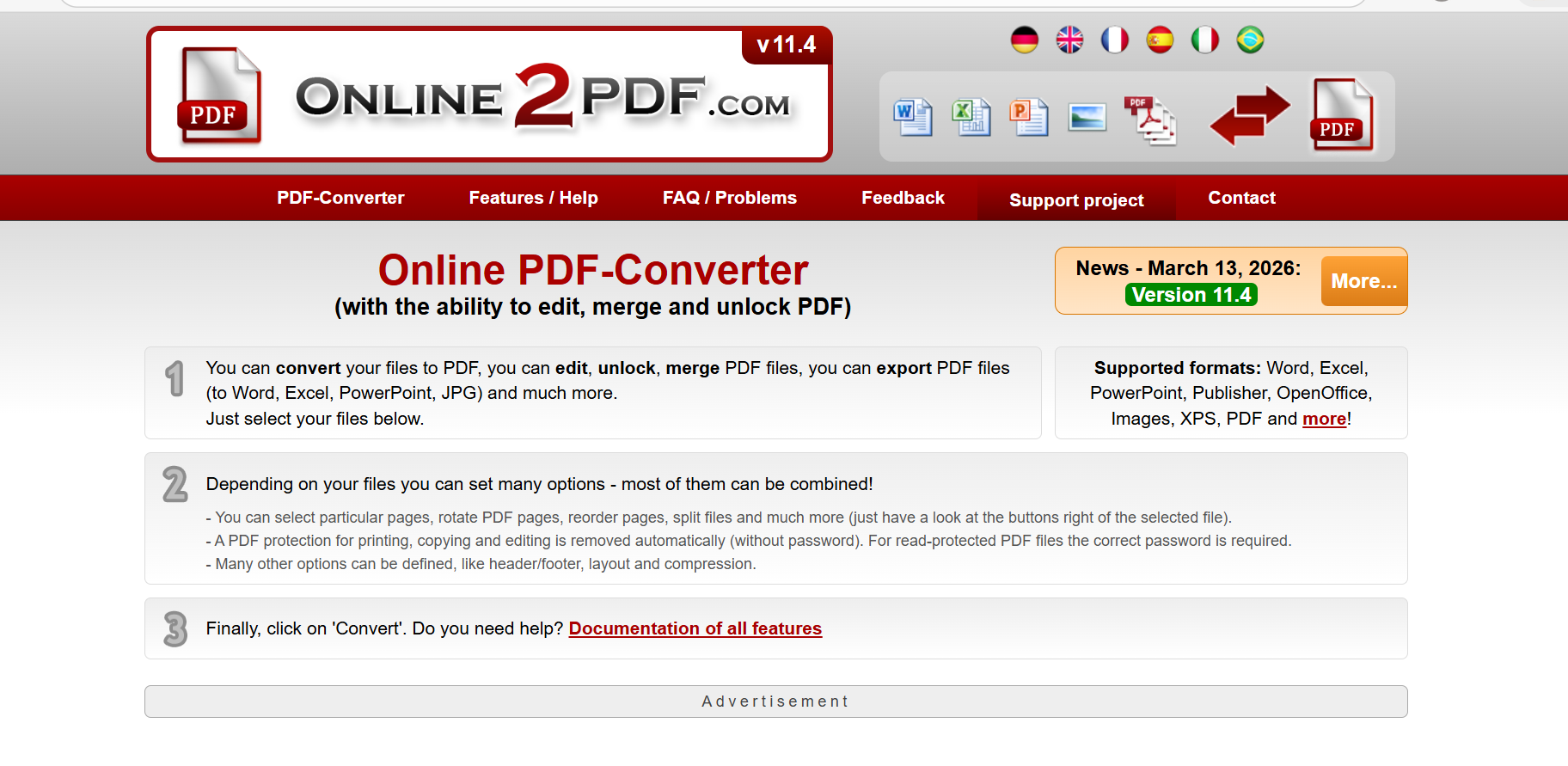
Online2PDF est un utilitaire Web de style ancien axé sur la puissance de conversion et la flexibilité des lots. Cela ressemble à une boîte à outils technique plutôt qu'à une application SaaS raffinée, mais elle reste pertinente grâce à ses fonctionnalités étendues et à ses frais d'abonnement nuls.
Principales forces fonctionnelles
- Grande boîte à outils de conversion gratuite (convertisser/fusionner/scinder/compresser/modifier au format PDF)
- Prise en charge de l'OCR pour les documents numérisés
- Fonctions puissantes d'optimisation de la numérisation (distorsion, réduction du bruit/amélioration du texte)
- Puissant traitement par lots
- Aucun compte n'est requis pour l'utilisation principale
Performance JPG vers Excel
Online2PDF est toujours un outil pratique jpg vers excel en ligne option pour les utilisateurs qui donnent la priorité à l'accès gratuit et aux opérations utilitaires à volume élevé. Il gère bien les images structurées et les tableaux simples. Là où cela peut être difficile, c'est la rapidité de l'expérience utilisateur moderne et l'extraction contextuelle dans des entrées visuellement complexes.
Pricing (2026)
- Modèle de base : 100 % gratuit
- Aucun abonnement requis
- Pas de compte forcé pour les opérations standard
- Des limites pratiques s'appliquent (limites de taille de fichier/pages, pas d'écosystème d'API d'entreprise)
Where Online2PDF Is Weaker
- L'interface semble obsolète pour les nouveaux utilisateurs
- Charge cognitive plus élevée pour les flux de travail non techniques
- Collaboration limitée dans le cloud et fonctionnalités modernes de flux de travail d'équipe
- Moins d'intelligence sémantique que les plateformes natives de l'IA pour les mises en page difficiles

Comparaison technique côte à côte pour les cas d'utilisation du format JPG au format XLSX
Use Case | Better Choice | Pourquoi |
Need a convertisseur JPG vers Excel gratuit immédiatement | Online2PDF | Coût nul et accès étendu aux services publics |
Vous avez besoin d'une sortie plus nette à partir de visuels mixtes désordonnés ? | FlowchartAI | Meilleure logique d'interprétation des structures |
Vous avez besoin d'une conversion par lots au bureau toute la journée | Online2PDF | Moteur de traitement par lots gratuit et densité de flux de travail puissants |
Besoin de sorties structurées faciles à présenter | FlowchartAI | Meilleure organisation visuelle en aval |
Besoin d'une configuration adaptée aux débutants | FlowchartAI | Moins de friction dans l'interface utilisateur |
Nécessite une utilisation par l'équipe sans budget | Online2PDF | Le modèle gratuit gagne en termes de coût |
Questions-réponses sur les intentions de l'utilisateur (FAQ et correspondance des scénarios)
Les questions ci-dessous reflètent des recherches intentionnelles effectuées par des acheteurs qui comparent les meilleurs résultats de conversion jpg vers Excel à des alternatives gratuites.
Quel est le meilleur outil pour les meilleures recherches de convertisseurs JPG vers Excel en 2026 ?
Si votre définition de « meilleur » signifie un coût gratuit et une densité de fonctionnalités élevée, Online2PDF l'emporte. Si « meilleur » signifie un temps de nettoyage plus court et une meilleure gestion du contexte complexe des tables, FlowchartAI est généralement plus fort.
Existe-t-il un convertisseur jpg vers Excel vraiment gratuit entre ces deux ?
Oui L'utilisation d'Online2PDF est gratuite pour les flux de travail de base. FlowChartAI est orienté vers les niveaux payants avec des plans basés sur le crédit, bien qu'il puisse proposer des options d'essai ou d'accès.
Quelle plate-forme est la plus rapide pour les tâches groupées de jpg à xlsx ?
Pour les conversions d'utilitaires répétitives et les routines par lots, Online2PDF est généralement plus rapide. Pour une extraction plus complexe basée sur l'interprétation, FlowChartAI permet de gagner du temps en réduisant les corrections après l'exportation.
Le prix de ces outils a-t-il changé en 2026 ?
FlowchartAI utilise des niveaux payants mensuels (Lite 8,99$, Pro 12,99$, Prime 25,99$). Online2PDF reste positionné comme un outil utilitaire gratuit, avec des limites d'utilisation au lieu de frais d'abonnement.
Lequel est le meilleur pour les débutants qui utilisent JPG pour exceller en ligne ?
FlowChartAI est généralement plus facile pour les nouveaux utilisateurs car la navigation et le flux de tâches sont plus modernes. Online2PDF est puissant mais peut sembler dense.
Notes d'expérience fondées sur des preuves, de JPG à Excel, et tests d'assurance qualité des conversions
À partir de tests répétés :
- Sur les fichiers comportant des en-têtes imbriqués et des annotations latérales, FlowChartAI a produit des feuilles directement utilisables en moins d'étapes.
- En ce qui concerne les lots de conversion de bureaux classiques, Online2PDF est resté très efficace et imbattable en termes de coûts.
- Pour les équipes qui combinent extraction et explication, le style de sortie structuré de FlowChartAI a réduit les échanges.
- Pour les opérateurs solo axés sur le débit gratuit, Online2PDF est resté l'un des choix les plus pratiques.
Ces résultats correspondent à la stratégie produit de chaque plateforme : FlowChartAI optimise la compréhension et la structure, tandis qu'Online2PDF optimise l'utilité et la couverture.
Conseils de verdict et de décision gratuits par rapport aux meilleurs chemins de conversion JPG vers Excel
En résumé, les deux outils sont puissants, mais ils résolvent des problèmes différents.La conclusion est simple : choisissez par type de flux de travail, et non par évaluation générique.
Recommandation finale par type d'utilisateur
- Si vous êtes utilisateur sensible aux coûts qui veut un convertisseur JPG vers Excel gratuitchoisissez Online2PDF.
- Si vous êtes gestion en équipe de documents compliqués et riches en contexte et souhaitez des sorties plus propres : choisissez FlowchartAI.
- Si vous êtes power batch operator avec conversions répétitives : choisissez Online2PDF.
- Si vous êtes créateur/analyste qui valorise l'interprétation structurée et les résultats prêts à être communiqués : choisissez FlowchartAI.
- La bonne décision dépend de votre optimisation pour un débit sans frais, une interprétation structurée ou un format JPG à long terme pour une cohérence optimale.
Final Scorecard (2026)
- FlowChartAI : 8.7/10
- Online2PDF : 8.6/10
Ni l'un ni l'autre n'est « le meilleur universellement ». En termes de coûts et d'utilité, Online2PDF reste exceptionnel. Pour une qualité d'extraction et une interprétabilité modernes, FlowchartAI est l'alternative la plus puissante à Online2PDF en 2026.
À propos de l'auteur