साइन-इन आवश्यक और आयु सीमा वाले यूट्यूब वीडियो डाउनलोड करने के 7 तरीके
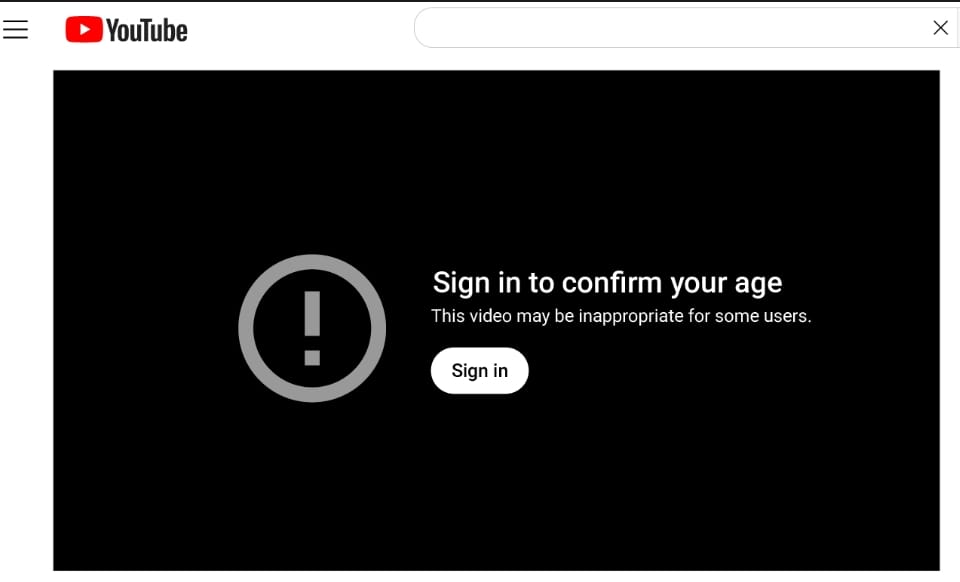
शोधकर्ताओं, पत्रकार और शिक्षक अक्सर एक ही दीवार पर मारते हैंः एक मूल्यवान क्लिप शो"अपनी उम्र की पुष्टि करने के लिए साइन इन करें"यायह वीडियो कुछ उपयोगकर्ताओं के लिए अनुचित हो सकता है।जेनेरिक डाउनलोडर विफल हो जाते हैं क्योंकि वे फ़ाइल का अनुरोध करते हैंगुमनाम-सत्र टोकन के बिना आपका लॉग-इन ब्राउज़र आपको उम्र सत्यापित करने के बाद भेजता है।
इस लेख नक्शेसात व्यावहारिक दृष्टिकोणसमझाती हैनरम बनाम कठिन उम्र के लिएऔर दिखाता है जबफ्लोचार्टएआई का यूट्यूब डाउनलोडरपर्याप्त है-और जब आपको प्रमाणित डेस्कटॉप या cli टूल का उपयोग करना चाहिए।
पारदर्शिता:हम फ्लैश के वीडियो स्टैक और दस्तावेज़ सीमाओं को ईमानदारी से बनाए रखते हैं। प्रत्येक निजी या ड्रिम-भारी शीर्षक पर कोई भी विधि काम नहीं करती है; हम उन मामलों को नीचे कहते हैं।
क्यों उम्र के दरवाजे सबसे डाउनलोडर को तोड़ते हैं
कैप्शन: उम्र बढ़ने वाले वीडियो को एक वयस्क सत्र के प्रमाण की आवश्यकता होती है-अनाम सर्वर अनुरोध अक्सर mp4 डेटा के बजाय त्रुटियों को वापस करते हैं
गेट प्रकार | आप क्या देखते हैं | डाउनलोडर को क्या चाहिए |
नरम गेट | “मैं समझता हूं और आगे बढ़ना चाहता हूं” (कोई लॉगिन नहीं) | सर्वर अक्सर चेतावनी के बाद जारी रख सकता है |
हार्ड गेट | “अपनी आयु की पुष्टि के लिए साइन इन करें” | मान्य गूगल सत्र कुकीज़ एक खाता 18 |
ऑनलाइन उपकरण कभी भी आपके Google खाते में लॉग नहीं करते हैं-गोपनीयता कारणों के लिए-इसलिए वे कई नरम-अदार सार्वजनिक पेशाब पर सफल हो सकते हैं, लेकिन कठिन-अदार लोगों पर विफल हो सकते हैं। कठिन द्वार, उपयोग करेंइन-ऐप लॉगिन, ब्राउज़र कुकी निर्यात, याप्रमाणित करते समय पकड़.
विधि 1: ब्राउज़र ऑनलाइन टूल (सॉफ्ट-एटेड सार्वजनिक वीडियो के लिए सबसे तेज)
सबसे अच्छा है:एकल क्लिप, त्वरित अभिलेखन।फ्लोचार्टएआईक्लाउड में लिंक और mp4/mov को वापस करता है4Kजब स्ट्रीम उपलब्ध हैं-आदर्श जब वीडियो सार्वजनिक हो और केवल हल्के में होते हैं।
3-चरण प्रवाह
- URL को कॉपी करेंप्रतिबंधित वीडियो (यदि आप YouTube पर साइन इन करते हैं यदि आपको इसका पूर्वावलोकन करने की आवश्यकता है) ।
- खुलाफ्लोचार्टai.टेक/यूट्यूब-डाउनलोडरऔर लिंक को पेस्ट करें।
- संकल्प का चयन करेंपार्स करें और डाउनलोड.
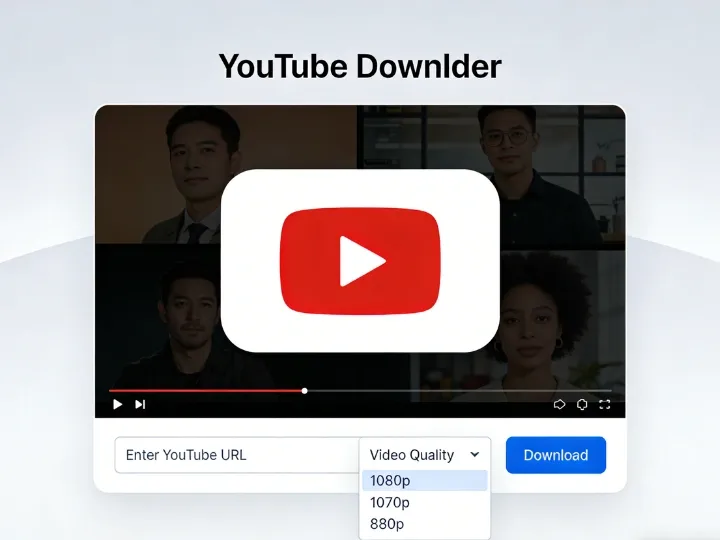
कैप्शन में लिखा है: फ्लोचारताई 1080p या 4k mp4 को पार्सिंग के बाद प्रारूप विकल्पों का पता लगाता है।सीमा:यदि उपकरण एक आयु या साइन-इन त्रुटि देता है, तो अपलोड का उपयोग करता हैकठिन करना—तरीके 2—4 पर जाएं।सुरक्षा टिप:Google पासवर्ड को यादृच्छिक कनवर्टर साइटों में पेस्ट न करें। ऑनलाइन सिर्फ जरूरी हैवीडियो URL.
विधि 2: अंतर्निहित यूट्यूब लॉगिन के साथ डेस्कटॉप ऐप्स
सबसे अच्छा है:कठोर वीडियो, निजी प्लेलिस्ट, 4k/8k अभिलेखीय. जैसे कार्यक्रम4K वीडियो डाउनलोडर, आसान वीडियो डाउनलोडरऔर इसी तरह के उपकरण एक एम्बेडेड ब्राउज़र खोलेंप्राथमिकताएं लॉग इन करें. सत्यापन के बाद, ऐप आपके खाते को कुछ भी डाउनलोड करता है।कार्यप्रवाह सारांश:
- से स्थापित करेंआधिकारिक वेबसाइट.
- ऐप के अंदर लॉग इन करें (एक यादृच्छिक तृतीय-पक्ष फॉर्म पर नहीं) ।
- वीडियो URL को पेस्ट करें mp4 और रिज़ॉल्यूशन चुनें।
- मेटाडेटा नोट्स (दिनांक, स्रोत चैनल) के साथ एक समर्पित संग्रह फ़ोल्डर में फ़ाइलों को स्टोर करें.
सुरक्षा अभ्यास:एक माध्यमिक Google खाते पर विचार करें2faयदि आप सॉफ़्टवेयर का उपयोग करना बंद कर देते हैं तो ऐप एक्सेस को रद्द करें।
कैप्शन: डेस्कटॉप लॉगिन आपके वयस्क सत्यापन को रिपर पास करता है-सख्त साइन-इन दीवारों के लिए आवश्यक है।
विधि 3: इंटरनेट डाउनलोड प्रबंधक (ब्राउज़र सत्र कैप्चर)
सबसे अच्छा है:पावर उपयोगकर्ता पहले से ही im चला रहे हैं. जब आप लॉग इन करते समय क्रोम या एज सत्यापित वीडियो खेलते हैं,आइएम का पैनलसक्रिय सत्र से स्ट्रीम को पकड़ सकते हैं-यदि ब्राउज़र पहले से ही प्रमाणित है, यदि ब्राउज़र पहले से ही प्रमाणित है.
- लाभ:तेजी से खंडित डाउनलोड; स्रोत गुणवत्ता से मेल खाता है।
- कमियाँ:परीक्षण के बाद भुगतान लाइसेंस; एक और पृष्ठभूमि सेवा।
विधि 4: Yt-dlp निर्यात कुकीज़ (Culi Power उपयोगकर्ता)
सबसे अच्छा है:स्वचालन, स्क्रिप्टिंग, अधिकतम नियंत्रण, खुला स्रोतवाईटी-डीएलपीब्राउज़र से निर्यात की गई एक कुकीes.txt फ़ाइल पढ़ता है जहां आपने उम्र की पुष्टि की है।रूपरेखा:
- आधिकारिक गिथुब रिलीज से Yt-dlp स्थापित करें।
- क्रोम/फ़ायरफ़ॉक्स में YouTube में लॉग इन करें और पुष्टि करें कि आप वीडियो खेल सकते हैं।
- एक प्रतिष्ठित एक्सटेंशन के साथ कुकीज़ का निर्यात करें (उदाहरण के लिए, “स्थानीय रूप से प्राप्त करें”) को नेटस्केप प्रारूप में निर्यात करें।
- चलाएंः
Yt-dlp-कुकीज़ कुकीes.txt "https://www.youtube.com/watch?v=VIDEO_ID"
- सत्र के बाद कुकीज हटाएँइसमें लाइव सत्र रहस्य शामिल हैं। इसे कभी शेयर न करें।
इस विधि नेसर्वाधिक सफलता दरजब आप सही तरीके से देखते हैं
विधि 5: ब्राउज़र के अंदर उपयोगकर्ता स्क्रिप्ट (टैम्परबंदर)
सबसे अच्छा है:यूट्यूब के यूई में "डाउनलोड hq" बटन के साथ रहें।टैम्परबंदरएक सत्यापित स्क्रिप्ट जोड़ें जैसेस्थानीय यूट्यूब डाउनलोडरGasyfork से, वीडियो पृष्ठ को ताज़ा करें, और इंजेक्शन बटन का उपयोग करें। डाउनलोड उपयोगआपका वर्तमान लॉगिनआइड के समानचेतावनी:YouTube Uui अपडेट के बाद स्क्रिप्ट टूट जाती है; इंस्टॉल करने से पहले समीक्षा कोड; क्रोम वेब स्टोर कई देशी YouTube रिपर्स को अवरुद्ध करता है।
विधि 6: मोबाइल वर्कअराउंड (एंड्रॉइड और आईओएस)
सबसे अच्छा है:केवल फोन वर्कफ़्लो
प्लेटफ़ॉर्म | दृष्टिकोण | नोट्स |
एंड्रॉयड | वैकल्पिक ग्राहक (जैसे, एफ-ड्रॉइड के माध्यम से न्यूपाइप) | केवल विश्वसनीय स्रोतों से साइडलोड; स्थिरता भिन्न होती है |
आईओएस | अंतर्निहित ब्राउज़र के साथ फ़ाइल एप्लिकेशन (उदाहरण के लिए, reddle द्वारा दस्तावेज़) | फ़ाइलों को सहेजें, फिर फ़ोटो |
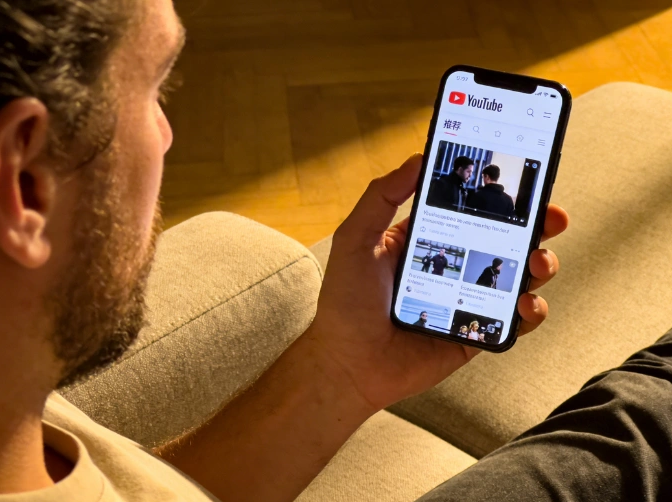
कैप्शन: मोबाइल सफारी एमपी 4 बचत को पूरा कर सकता है जब वीडियो ios पर hard-gated.Hard-gated शीर्षक नहीं है, तो मोबाइल सफारी एमपी 4 की बचत को पूरा कर सकता है।
विधि 7: स्क्रीन रिकॉर्डिंग (यूनिवर्सल फॉलबैक)
सबसे अच्छा है:Dm-भारी या बार-बार असफल होने परओब्स स्टूडियो(मुक्त) याबंचिम(भुगतान, सरल ई) स्क्रीन पर वास्तव में रिकॉर्ड करता है।जल्दी सेटअप:
- जोड़ेंविंडो कैप्चरअपना ब्राउज़र चुनें।
- सक्षमडेस्कटॉप ऑडियो-म्यूट माइक्रोफोन यदि अप्रयुक्त हो।
- वीडियो फुलस्क्रीन → →रिकॉर्डिंग शुरू करें.
- बाद में किसी भी संपादक में फ़ाइल को ट्रिम करें।
आप कुछ गुणवत्ता बनाम देशी mp4 रिप, लेकिन आप रखते हैंपहुंच का प्रमाणआप पहले से ही खिलाड़ी में थे।
तुलना मैट्रिक्स: आपको किस विधि का उपयोग करना चाहिए?
उपकरण/विधि | मूल्य | कठिन उम्र का गेट | अधिकतम रिज़ॉल्यूशन | कौशल स्तर |
फ्लैवचार्ताई ऑनलाइन | मुक्त टीयर/अपग्रेड | सॉफ्ट गेट और कई सार्वजनिक यूल | 4K तक | बहुत आसान |
4K वीडियो डाउनलोडर | फ्रीमियम/~ $15 | इन-ऐप लॉगिन | 8k तक | आसान |
इदम | परीक्षण/भुगतान | लॉग इन ब्राउज़र के माध्यम से | स्रोत गुणवत्ता | मध्यम |
Yt-dlp कुकीज़ | मुक्त | वैध कुकीज़ के साथ मजबूत | स्रोत की गुणवत्ता | उन्नत |
टैम्परबंदर स्क्रिप्ट | मुक्त | ब्राउज़र सत्र का उपयोग करें | भिन्न | मध्यम |
न्यूनपाइप (एंड्रॉयड) | मुक्त | असंगत | भिन्न-भिन्न होता है | मध्यम |
ओबी रिकॉर्डिंग | मुक्त | हमेशा नेत्रहीन काम करता है | सीमित प्रदर्शन | आसान |
कानूनी, नैतिक और सुरक्षा मार्गदर्शन (E-E-A-T)
पहले देखने का अधिकार
केवल सामग्री डाउनलोड करेंअधिकृतएक्सेस करने के लिए-आपका खाता, रचनात्मक कॉमन्स, या स्पष्ट अनुमति। नीति लागू करने और नाबालिगों की सुरक्षा के लिए आयु सत्यापन मौजूद है;जनहित अनुसंधानप्रतिबंधित सामग्री के पुनर्वितरण से अलग है।
खाता सुरक्षा
- कभी भी दूसरों के साथ साझा किए गए क्लाउड ड्राइव पर न अपलोड करें।
- अज्ञात एक्सा इंस्टॉलर्स के अंदर गूगल में लॉग इन करने से बचें।
- एम्बेडेड लॉगिन में पसंद करेंसम्मानितडेस्कटॉप ऐप्स या स्थानीय yt-dlp
यादृच्छिक कनवर्टर साइटों पर खराबी
कई 'यूट्यूब एज बाईपास' पेज पॉप-अप या फर्जी खिलाड़ियों को बंडल करते हैं। एक केंद्रित उत्पाद सतह जैसे फ्लोचारताई गलत क्लिकों को कम करता है; फिर भी सत्यापित करें कि आप फ़्लोवचारताई. तकनीक पर हैं।
अक्सर पूछे जाने वाले प्रश्न
क्या मैं सॉफ्टवेयर स्थापित किए बिना उम्र के YouTube वीडियो डाउनलोड कर सकते हैं?
कभी-कभी.नरमवीडियो अक्सर काम करते हैंफ्लोचार्टई का ऑनलाइन डाउनलोडर. कठोरवीडियो को आमतौर पर प्रमाणित डेस्कटॉप या कोली विधियों की आवश्यकता होती है।
डाउनलोडर्स के लिए 'साइन इन करें' का क्या मतलब है?
यूट्यूब की जरूरत18 लॉग इन सत्र. अज्ञात उपकरण उस प्रमाण की आपूर्ति नहीं कर सकते; उपकरण जो आयात करते हैंआपकाकुकीज़ या एम्बेड लॉगिन कर सकते हैं।
क्या Google तृतीय-पक्ष ऐप्स के अंदर लॉग इन करना सुरक्षित है?
प्रतिष्ठित अभिलेखागार एम्बेडेड आधिकारिक लॉगिन प्रवाह का उपयोग करते हैं। 2fa के साथ जोखिम कम से कम, एक समर्पित संग्रह खाता, और आप भरोसा करते हैं।
क्या मैं बिना साइन किए डाउनलोड कर सकता हूं?
शायद ही कभी कठोर सामग्री के लिए। कुछ वैकल्पिक एंड्रॉइड क्लाइंट स्क्रिप्टेड एक्सेस का प्रयास करते हैं, लेकिन YouTube अपडेट के बाद टूटने आम है-प्रमाणित तरीके अधिक विश्वसनीय रहते हैं।
क्या होगा अगर फ्लोचारताई एक त्रुटि दिखाता है?
स्विच करनाडेस्कटॉप लॉगिनयाकुकीज़ के साथ Yt-dlp. यदि आपके ब्राउज़र में साइन किए जाने पर भी आपके ब्राउज़र में विफल रहता है, तो वीडियो निजी, क्षेत्र-अवरुद्ध या अनुपलब्ध हो सकता है-कोई डाउनलोडर उस पर ओवरराइड नहीं कर सकता है।
क्या फ्लॉवचारताई मेरे गूगल पासवर्ड को स्टोर करता है?
नहीं, ऑनलाइन प्रक्रियावीडियो यूआरएलआप पेस्ट करें। यह Google क्रेडेंशियल का अनुरोध नहीं करता है।
निष्कर्ष
उम्र भर की है डाउनलोडमिलान की समस्याआसान फाटकों को स्मार्ट सर्वर अनुरोध की आवश्यकता है; हार्ड गेट्सआपका सत्यापित सत्र.
सबसे तेज़ पथ-URL को पेस्ट करेंफ्लोचार्टएआई यूट्यूब डाउनलोडर. यदि साइट को ब्लॉक करता है, तो बढ़ जाता हैअधिप्रमाणित डेस्कटॉप सॉफ्टवेयर, वाईटी-डीएलपी कुकीज़, याओबीएक अंतिम उपाय के रूप में।
दस्तावेज़ क्यों आपने क्लिप को संग्रहीत किया, फ़ाइलों को ऑफ़लाइन और निजी रखें, और कॉपीराइट का सम्मान करें-वही मानक जो हम उत्पादन वीडियो टूल शिपिंग पर लागू होते हैं।
उपकरण का प्रयास करेंःमुफ्त यूट्यूब वीडियो डाउनलोडर
फ्लोचार्ताई के बारे मेंःवीडियो, पीडीएफ और छवि वर्कफ़्लो के लिए ब्राउज़र-आधारित ई उपयोगिताओं-प्रकाशन से पहले हमारे संपादकीय और उत्पाद टीम द्वारा परीक्षण किया जाता है।
लेखक के बारे में