ログイン必須および年齢制限付きのYouTube動画をダウンロードする7つの方法
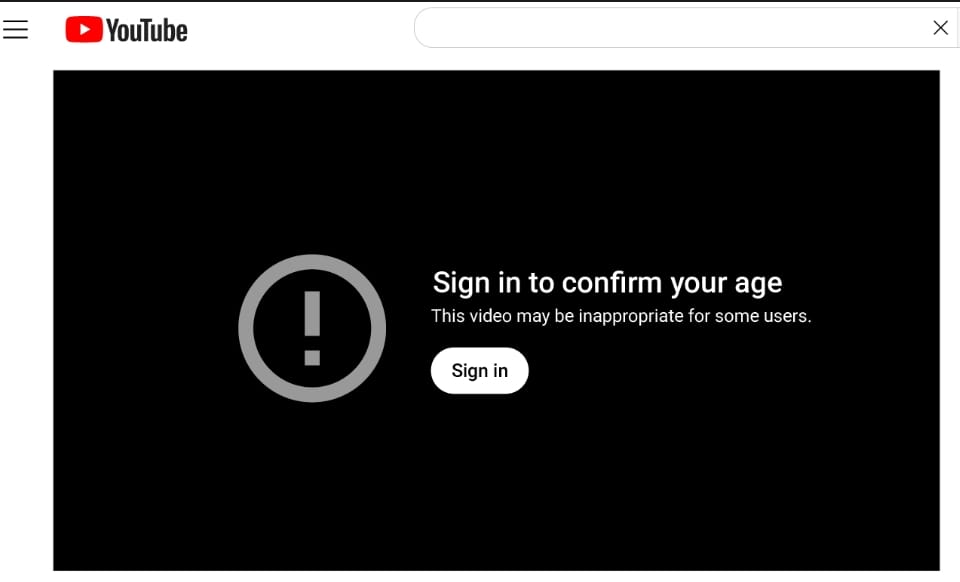
研究者、ジャーナリスト、教育者はしばしば同じ壁にぶつかります: 貴重なクリップが示しています“あなたの年齢を確認するためにサインイン”または「このビデオは一部のユーザーには不適切かもしれません。ジェネリックダウンローダーは、ファイルを要求するために失敗します匿名で-年齢を確認した後、ログインしたブラウザが送信するセッショントークンなし。
この記事の地図7つの実用的なアプローチ、説明ソフトvsハード年齢ゲーティング、およびいつFlowChartAIのYouTubeダウンローダーは十分です-そして、認証されたデスクトップまたはCLIツールを使用する必要があるとき。
透明性:FlowChartAIのビデオスタックとドキュメントの制限を正直に維持します。すべてのプライベートまたはDRMの多いタイトルで機能する方法はありません。これらのケースを以下に示します。
エイジゲートがほとんどのダウンローダーを破る理由
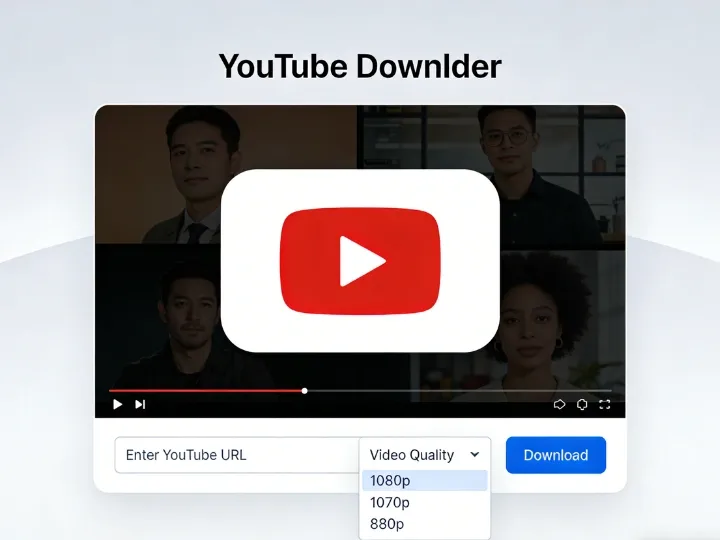
キャプション: 年齢別の動画には、アダルトセッションの証明が必要です。匿名のサーバーリクエストでは、MP4データの代わりにエラーが返されることがよくあります。YouTubeは、2つの一般的なパターンで未成年者を保護します。
ゲートタイプ | あなたが見るもの | ダウンローダーに必要なもの |
ソフトゲート | 「私は理解し、続行したい」 (ログインなし) | サーバーはしばしば警告interstitialの後に続くことができます |
ハードゲート | 「年齢確認のため、ログインしてください」 | 有効 Googleセッションクッキー 18とマークされたアカウントから |
オンラインツールは、プライバシー上の理由から、Googleアカウントにログインすることはありません。そのため、多くのソフトゲート付きパブリックURLでは成功しますが、ハードゲート付きのパブリックURLでは失敗する可能性があります。ハードゲートのために、使用アプリ内ログイン, Browser cookieエクスポート、または認証中のキャプチャ.
方法1: ブラウザオンラインツール (ソフトゲーテッドパブリックビデオで最速)
最適な用途:シングルクリップ、クイックアーカイブ、インストールなし。フローチャートAIクラウド内のリンクを処理し、MP4/MOVを4Kストリームが利用可能な場合-ビデオが公開され、軽くゲートされている場合に理想的です。
3ステップフロー
- URLをコピーする制限されたビデオの (プレビューが必要な場合はYouTubeでサインイン中)。
- 開くフローチャートai.tech/ユーチューブダウンローダーリンクを貼り付けます。
- 解像度を選択 →Parse & ダウンロード.
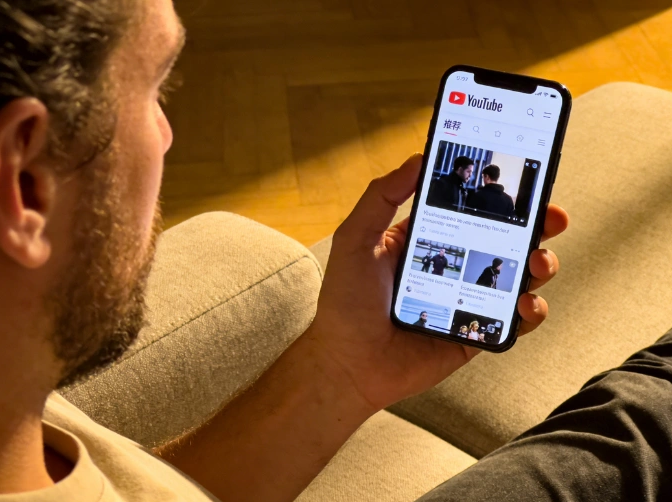
キャプション: FlowChartAIは解析後にフォーマットオプションを検出します-リストされている場合は1080pまたは4K MP4を選択します。制限:ツールが年齢またはサインインエラーを返した場合、アップロードではハードゲーティング—方法 2—4 に進んでください。安全チップ:Googleのパスワードをランダムなコンバーターサイトに貼り付けないでください。正当なオンラインツールは、ビデオURL.
方法2: YouTubeログインを内蔵したデスクトップアプリ
最適な用途:ハードゲーテッドビデオ、プライベートプレイリスト、4K/8Kアーカイブ。などのプログラム4Kビデオダウンローダー, EaseUSビデオダウンローダー、および同様のツールは、埋め込みブラウザを開きます設定 → ログイン.認証後、アプリはアカウントで視聴できるものをすべてダウンロードします。ワークフローの概要:
- からインストール公式ウェブサイト.
- アプリ内でログインします (ランダムなサードパーティフォームではありません)。
- ビデオURLを貼り付ける → MP4と解像度を選択します。
- メタデータメモ (日付、ソースチャネル) を含む専用のアーカイブフォルダにファイルを保存します。
セキュリティの実践:セカンダリGoogleアカウントを検討してください2FAアーカイブ用、およびソフトウェアの使用を停止した場合はアプリのアクセスを取り消します。
キャプション: デスクトップログインは、大人の確認をリッパーに渡します-厳密なサインインウォールに必要です。
方法3: インターネットダウンロードマネージャ (ブラウザセッションのキャプチャ)
最適な用途:すでにIDMを実行しているパワーユーザー。ログイン中にChromeまたはEdgeで年齢確認済みのビデオを再生すると、IDMのパネルアクティブなセッションからストリームを取得できます-ブラウザがすでに認証されている場合は、IDM内で個別のYouTubeログインはありません。
- 長所:高速セグメント化されたダウンロード。ソース品質と一致します。
- 短所:トライアル後の有料ライセンス。別のバックグラウンドサービス。
方法4: yt-dlpエクスポートされたクッキー (CLIパワーユーザー)
最適な用途:自動化、スクリプト、最大制御。オープンソースyt-dlpあなたが年齢を確認したブラウザからエクスポートされたcookies.txtファイルを読み取ります。概要:
- 公式のGitHubリリースからyt-dlpをインストールします。
- Chrome/FirefoxでYouTubeにログインし、ビデオを再生できることを確認します。
- 評判の良い拡張機能 (「Get cookies.txt LOCALY」など) を持つCookieをNetscape形式にエクスポートします。
- 実行:
Yt-dlp -- cookies cookies.txt「 https://www.youtube.com/watch?v=VIDEO_ID 」
- セッション後にcookies.txtを削除する-ライブセッションの秘密が含まれています。決してそれを共有しないでください。
このメソッドには、最高成功率合法的に視聴権を持っている場合のハードゲートの公開ビデオの場合。
方法5: ブラウザ内のユーザースクリプト (Tampermonkey)
最適な用途:「HQのダウンロード」ボタンでYouTubeのUI内にとどまる。インストールタンパーモンキーなどの精査されたスクリプトを追加します。ローカルYouTubeダウンローダーGreasyForkから、ビデオページを更新し、注入されたボタンを使用します。ダウンロードは現在のログイン、IDMに似ています。警告:スクリプトはYouTube UIの更新後に壊れます。インストールする前にコードを確認してください。Chromeウェブストアは、多くのネイティブYouTubeリッパーをブロックします。
方法6: モバイルWorkarounds (Android & iOS)
最適な用途:電話のみのワークフロー。
プラットフォーム | アプローチ | 注釈 |
Android | 代替クライアント (例えば、F-Droid経由のNewPipe) | 信頼できるソースからのサイドロードのみ。安定性は異なります |
iOS | ブラウザが内蔵されているファイルアプリ (例: ドキュメント-Readdle) → 開く | ファイルに保存し、次に写真 |
キャプション: Mobile Safariは、ビデオがiOSのhard-gated.Hard-gatedタイトルでない場合でも、MP4の保存を完了できます。多くの場合、デスクトップ認証またはスクリーンキャプチャが必要です (方法7)。
方法7: スクリーンレコーディング (ユニバーサルフォールバック)
最適な用途:DRMを多用するか、直接ダウンロードに繰り返し失敗します。OBSスタジオ(无料) またはバンディカム(有料でシンプルなUI) は、画面上で再生される内容を正確に記録します。OBSクイックセットアップ:
- 追加するウィンドウキャプチャ→ ブラウザを選択します。
- 有効にするデスクトップオーディオ; 未使用の場合はマイクをミュートします。
- ビデオのフルスクリーンを再生 →録音を開始.
- その後、任意のエディタでファイルをトリミングします。
あなたはネイティブMP4リップに対していくつかの品質を失いますが、あなたは保ちますアクセスの証明あなたはすでにプレイヤーにいました。
比較マトリックス: どの方法を使うべきですか?
ツール/方法 | 価格 | ハード年齢ゲート | 最大解像度 | スキルレベル |
FlowChartAIオンライン | 無料のティア/アップグレード | ソフトゲート & 多くのパブリックURL | 4Kまで | とても簡単 |
4Kビデオダウンローダー | フリーミウム/〜 $15 | アプリ内ログイン | 8Kまで | 簡単 |
IDM | トライアル/有料 | ログインしたブラウザ経由 | 品質を調達 | ミディアム |
Yt-dlpクッキー | 無料 | 有効なクッキーで強い | 品質を調達 | 高度な |
タンパーモンキースクリプト | 無料 | ブラウザーセッションを使用 | 異なります | ミディアム |
NewPipe (アンドロイド) | 無料 | 一貫していない | さまざまです | ミディアム |
OBSレコーディング | 無料 | 常に視覚的に機能する | 表示制限 | 簡単 |
法的、倫理的、および安全ガイダンス (E-E-A-T)
視聴権が最初に来る
あなたがいるコンテンツのみをダウンロードする承認済みアクセスする-アカウント、クリエイティブコモンズ、または明示的な権限。ポリシーを施行し、未成年者を保護するために、年齢確認が存在します。公益研究制限された資料の再配布とは異なります。
アカウントのセキュリティ
- Cookies.txtを他の人と共有するクラウドドライブにアップロードしないでください。
- 未知のEXEインストーラー内でGoogleにログインしないでください。
- 埋め込みログインを好む評判の良いデスクトップアプリまたはローカルyt-dlp。
ランダムコンバーターサイトでのマルバータイジング
多くの「YouTube年齢バイパス」ページには、ポップアップや偽のプレーヤーがバンドルされています。FlowChartAIのような焦点を絞った製品表面は、ミスクリックを減らします。それでもflowchartai.techを使用していることを確認します。
よくある質問
ソフトウェアをインストールせずに年齢依存のYouTube動画をダウンロードできますか?
時々。ソフトゲートパブリックビデオはしばしばFlowChartAIのオンラインダウンローダー. ハードゲートビデオには通常、認証されたデスクトップまたはCLIメソッドが必要です。
ダウンローダーにとって「サインインして年齢を確認する」とはどういう意味ですか?
YouTubeには18ログインセッション.匿名ツールはその証拠を提供できません。インポートするツールあなたのクッキーまたは埋め込みログイン缶。
サードパーティのアプリ内でGoogleにログインしても安全ですか?
評判の良いアーカイバは、組み込みの公式ログインフローを使用します。2FA、専用のアーカイブアカウント、および信頼できるベンダーでリスクを最小限に抑えます。
まったくサインインせずにダウンロードできますか?
ハードゲートコンテンツの場合はめったにありません。一部の代替Androidクライアントはスクリプトアクセスを試みますが、YouTubeの更新後に破損が一般的です-認証された方法はより信頼性が高くなります。
FlowChartAIにエラーが表示された場合はどうなりますか?
切り替えへデスクトップログインまたはYt-dlpとクッキー.サインインしてもブラウザで再生自体が失敗した場合、ビデオがプライベート、リージョンブロック、または利用できない可能性があります。ダウンローダーはそれをオーバーライドできません。
FlowChartAIはGoogleパスワードを保存しますか?
いいえ。オンラインツールは、ビデオURLあなたは貼り付けます。Googleの資格情報を要求しません。
結論
年齢別ダウンロードはマッチングの問題: ソフトゲートにはスマートサーバーリクエストが必要です。ハードゲートには必要確認済みのセッション.
最速のパスから始める-URLをフローチャートAI YouTubeダウンローダー.サイトがフェッチをブロックする場合は、认证デスクトップソフトウェア, yt-dlpのクッキー、またはOBS最後の手段として。
クリップをアーカイブし、ファイルをオフラインとプライベートに保ち、著作権を尊重する理由を文書化します。これは、プロダクションビデオツールを出荷するときに適用するのと同じ基準です。
ツールを試してください:无料YouTubeビデオダウンローダー
FlowChartAIについて:ビデオ、PDF、および画像ワークフロー用のブラウザベースのAIユーティリティ-公開前に編集および製品チームによってテストされました。
著者について