4 Best AI Video Watermark Removers in 2026: Tested & Compared

AI video watermark removers have become one of the easiest ways to remove watermark from video without complicated manual editing. With lots of online tools now available, choosing the right video watermark remover isn't always easy. Some prioritize output quality, others focus on processing speed, pricing, or larger upload limits, and their performance can vary considerably in real-world use.
In this guide, we tested four popular AI video watermark removers—FlowChartAI, Pixbim Video Watermark Remover AI, MagicEraser, and EZRemove—using three real-world test videos. We compared each tool based on output video quality, processing speed, pricing, upload limit, and ease of use to help you choose the best AI video watermark remover for your workflow.
Comparison Table
| Tool | Output Quality | Average Processing Time (12s Test Videos) | Upload Limit | Pricing | ease of use |
| MagicEraser | ⭐⭐⭐⭐☆ (4/5) | Under 1 minute | Up to 20MB | 8 free credits on signup | AI Automatic + Manual Mask modes |
| EZRemove | ⭐⭐⭐½☆ (3.5/5) | Under 1 minute | Up to 500MB, 4K | Free credits + daily check-ins | Auto Remove + Manual Painter with brush length & processing speed |
| FlowChartAI | ⭐⭐⭐⭐½ (4.5/5) | Under 1 minute | Up to 20MB | 3-month free trial | Manual selection, no frame-by-frame editing |
| Pixbim | ⭐⭐⭐½☆ (3.5/5) | ~1 min 35 sec | No upload limit (desktop software) | Free offline version | manual tools with adjustable brush length & processing speed |
| Tool | Output Quality | Average Processing Time ((12s Test Videos) | Upload Limit | Pricing | ease of use |
| MagicEraser | ⭐⭐⭐⭐☆ (4/5) | Under 1 minute | Up to 20MB | 8 free credits on signup | AI Automatic + Manual Mask modes |
| EZRemove | ⭐⭐⭐½☆ (3.5/5) | Under 1 minute | Up to 500MB, 4K | Free credits + daily check-ins | Auto Remove + Manual Painter with brush length & processing speed |
| FlowChartAI | ⭐⭐⭐⭐½ (4.5/5) | Under 1 minute | Up to 20MB | 3-month free trial | Manual selection, no frame-by-frame editing |
| Pixbim | ⭐⭐⭐½☆ (3.5/5) | ~1 min 35 sec | No upload limit (desktop software) | Free offline version | manual tools with adjustable brush length & processing speed |
Quick recommendation:
- MagicEraser — Best for quick online edits.
- EZRemove — Best for large and high-resolution videos.
- FlowChartAI — Best free video watermark remover for short video creators.
- Pixbim — Best for offline desktop editing.
Meet the Four AI Video Watermark Removers
Here's a quick overview of the four AI video watermark removers included in this review.
MagicEraser
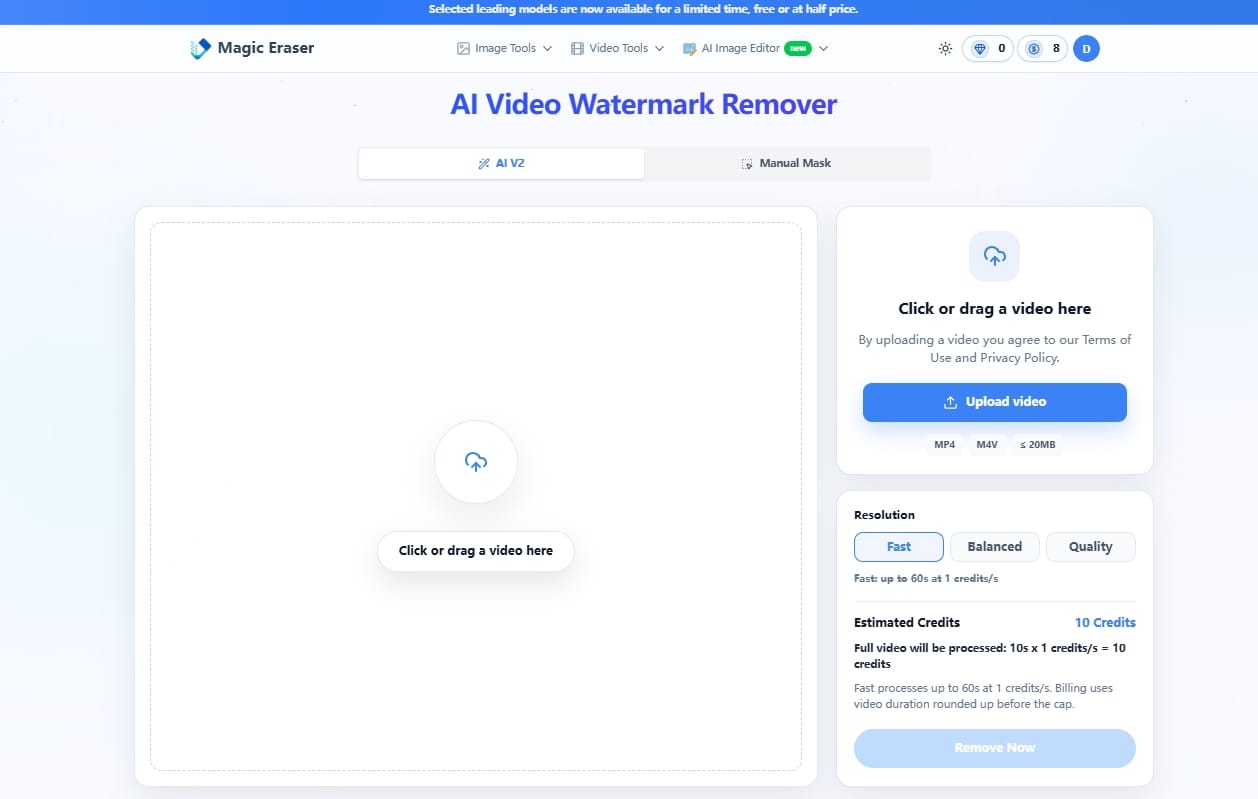
A browser-based watermark remover offering both AI Automatic and Manual Mask modes. It is designed for users who want a balance between one-click editing and manual control.
EZRemove
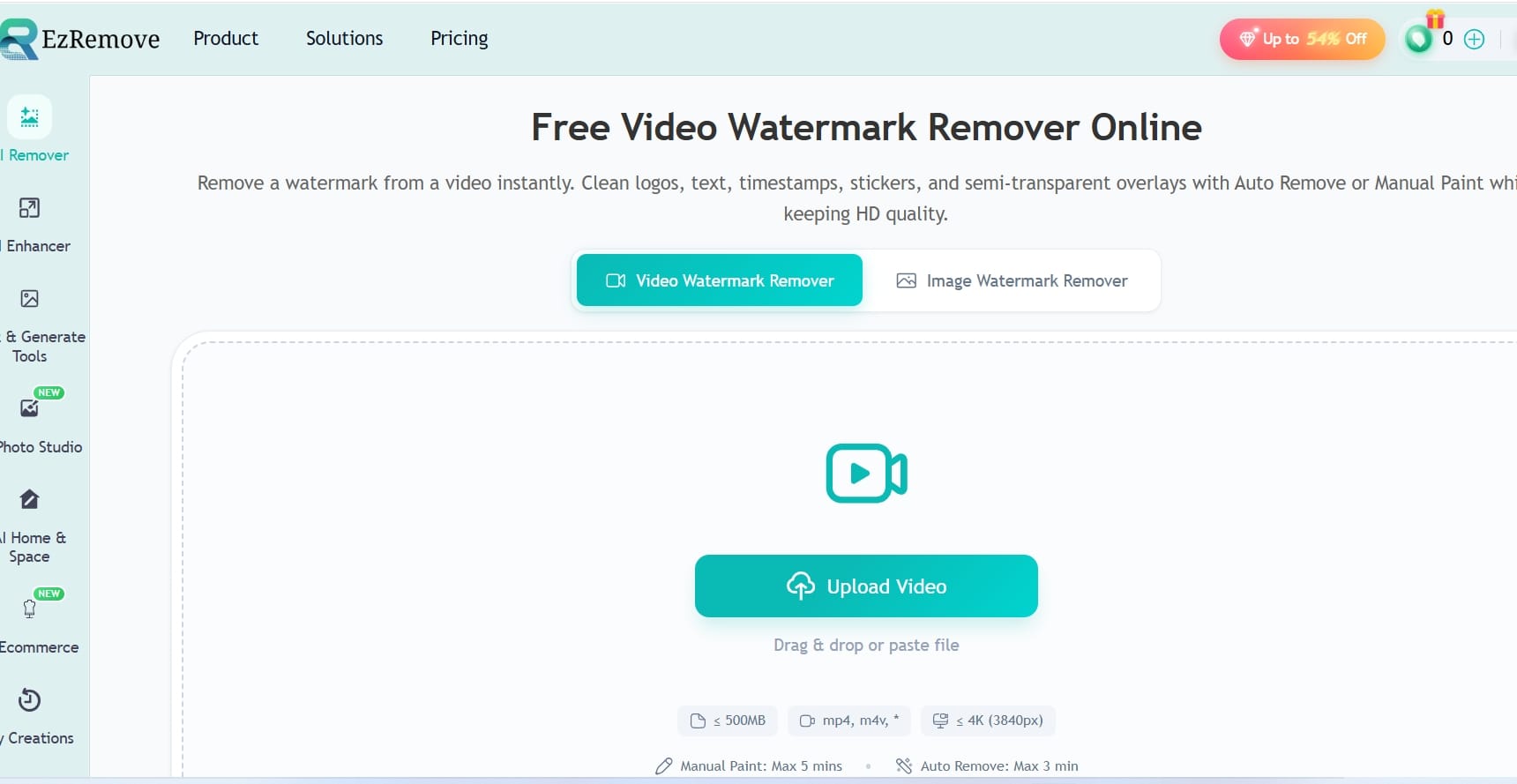
An online AI watermark remover with Auto Remove and Manual Painter modes. It supports videos up to 500 MB and 4K resolution, making it suitable for processing larger files directly in the browser.
FlowChartAI
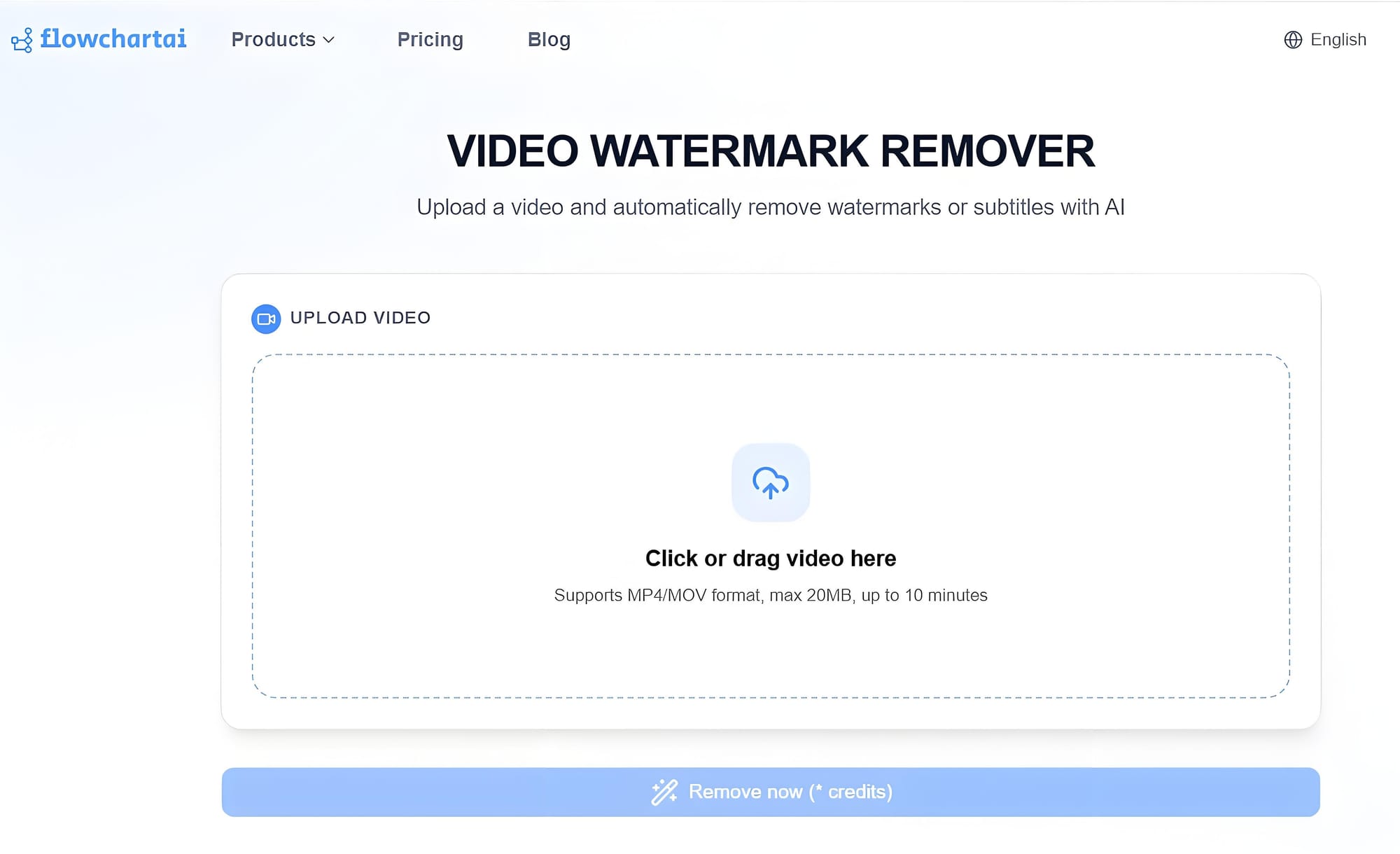
A browser-based AI video watermark remover designed for short-form videos. It's a practical choice if you want to remove watermark from video online free during the trial period. It lets users manually select up to five watermark areas that remain active throughout the video, eliminating the need for frame-by-frame editing.
Pixbim Video Watermark Remover AI
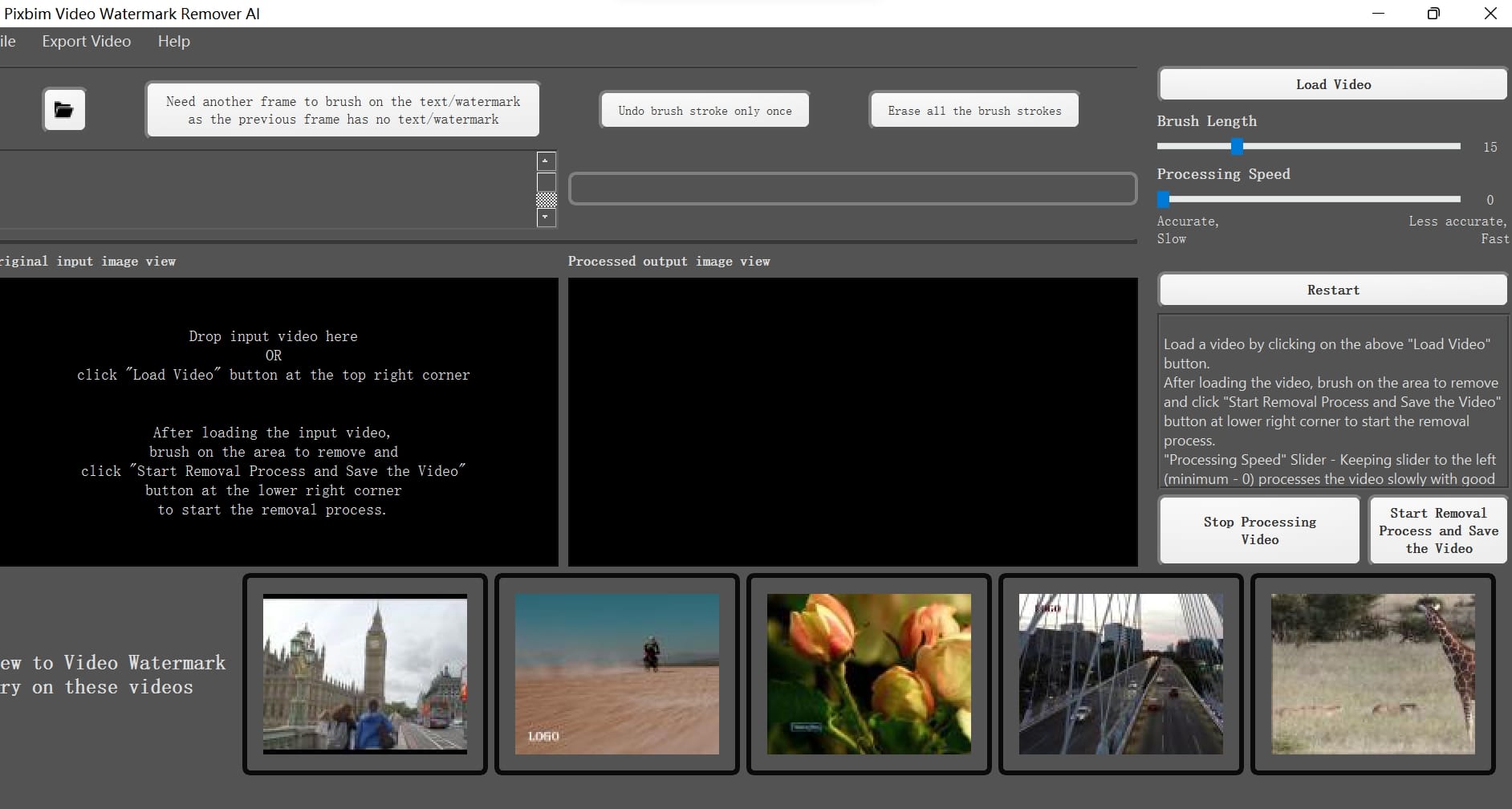
A desktop application that processes videos locally instead of in the cloud. It provides adjustable manual tools, including Brush Length and Processing Speed controls, for users who prefer offline editing.
How We Tested These AI Video Watermark Removers
To keep the comparison as fair as possible, we tested FlowChartAI, MagicEraser, EZRemove, and Pixbim under the same conditions and evaluated the exported results side by side. The tests were completed between July 22 and July 24, 2026, so pricing, free credits, and trial offers mentioned in this guide reflect that window and may change afterward. We used three 12-second MP4 test videos to evaluate how each video watermark remover performed in real-world scenarios. All three clips shared the same baseline specs: 1080 x 1920 resolution, 30 fps, H.264 encoding, and file sizes between 8.2 MB and 12.6 MB. The difference was the watermark scenario:
Clip A — Static watermark on a simple background: a fixed TikTok-style logo and username placed in the lower-middle area over a relatively even background. This tested whether each tool could remove watermark from video cleanly when fewer texture conflicts were present.
Clip B — Static watermark on a complex dynamic background: the same fixed watermark over moving foliage, water reflections, or similarly detailed motion. This tested whether removal left smear, ghosting, or soft patches in busy frames.
Clip C — Moving or position-shifting text watermark: a text/logo overlay that changed position across the clip. This tested whether each tool could track the mark cleanly or needed extra selection work.
In each case, the watermark covered roughly 8–12% of the frame width. We noted whether it stayed fixed or moved, and whether it overlapped flat areas, textured areas, or both.
Testing Environment
All online tools were tested in Google Chrome 138 on Windows 11, over a wired broadband connection of about 100 Mbps. Pixbim was tested as installed desktop software on the same PC: Intel Core i7 (12th gen), 16 GB RAM, and an NVIDIA RTX 3060 GPU. Using one machine and one network setup helped reduce environment-related timing differences, though online queue times can still vary with server load.
Testing Process
For each tool and each clip, we uploaded the original file, selected the same watermark regions as closely as possible, and used the default or recommended workflow for everyday users. When a tool offered both automatic and manual modes, we started with the simplest option and adjusted the selection only when needed to cover the watermark accurately. We then exported the result and reviewed the processed clips at native display size, pausing on frames where the watermark had been most visible.
Processing Time
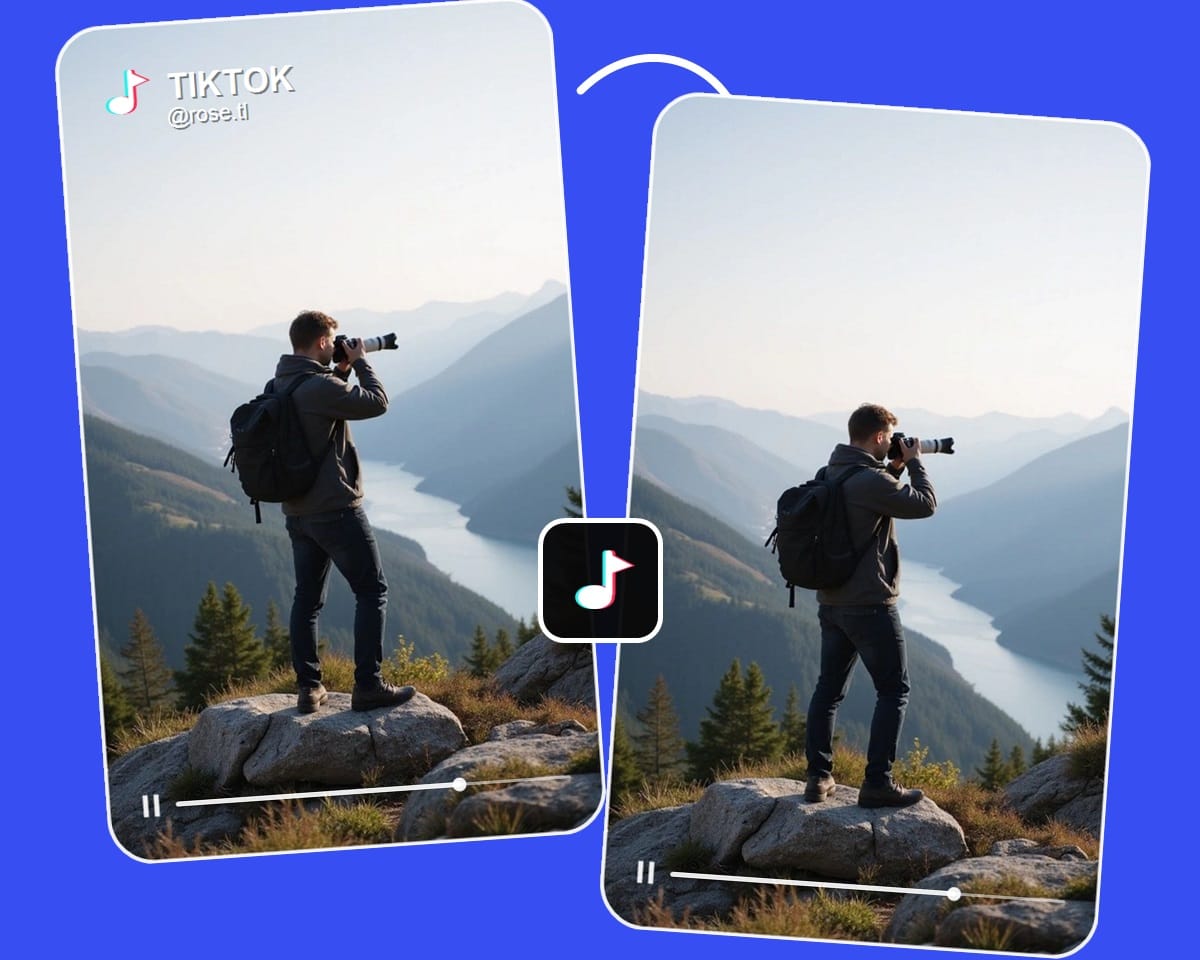
We timed each run from the moment processing started until the cleaned video was ready to preview or download. Averaged across the three clips, the approximate processing times were: FlowChartAI 42 seconds, MagicEraser 51 seconds, EZRemove 55 seconds, and Pixbim 1 minute 35 seconds. Pixbim took longer mainly because it relies on desktop software and more manual brush work.
Scoring Criteria
Each tool was scored on a 1–5 scale for watermark removal quality and final output quality. We looked specifically at four visible issues: leftover residue or partial text, blur or soft reconstruction around the edited area, flicker or frame-to-frame inconsistency, and loss of fine detail in nearby textures. Ease of use, pricing or free-use limits, and upload constraints were recorded separately so that a large upload limit could not hide weaker cleanup quality.
In-Depth Real Test Results
- Output Video Quality
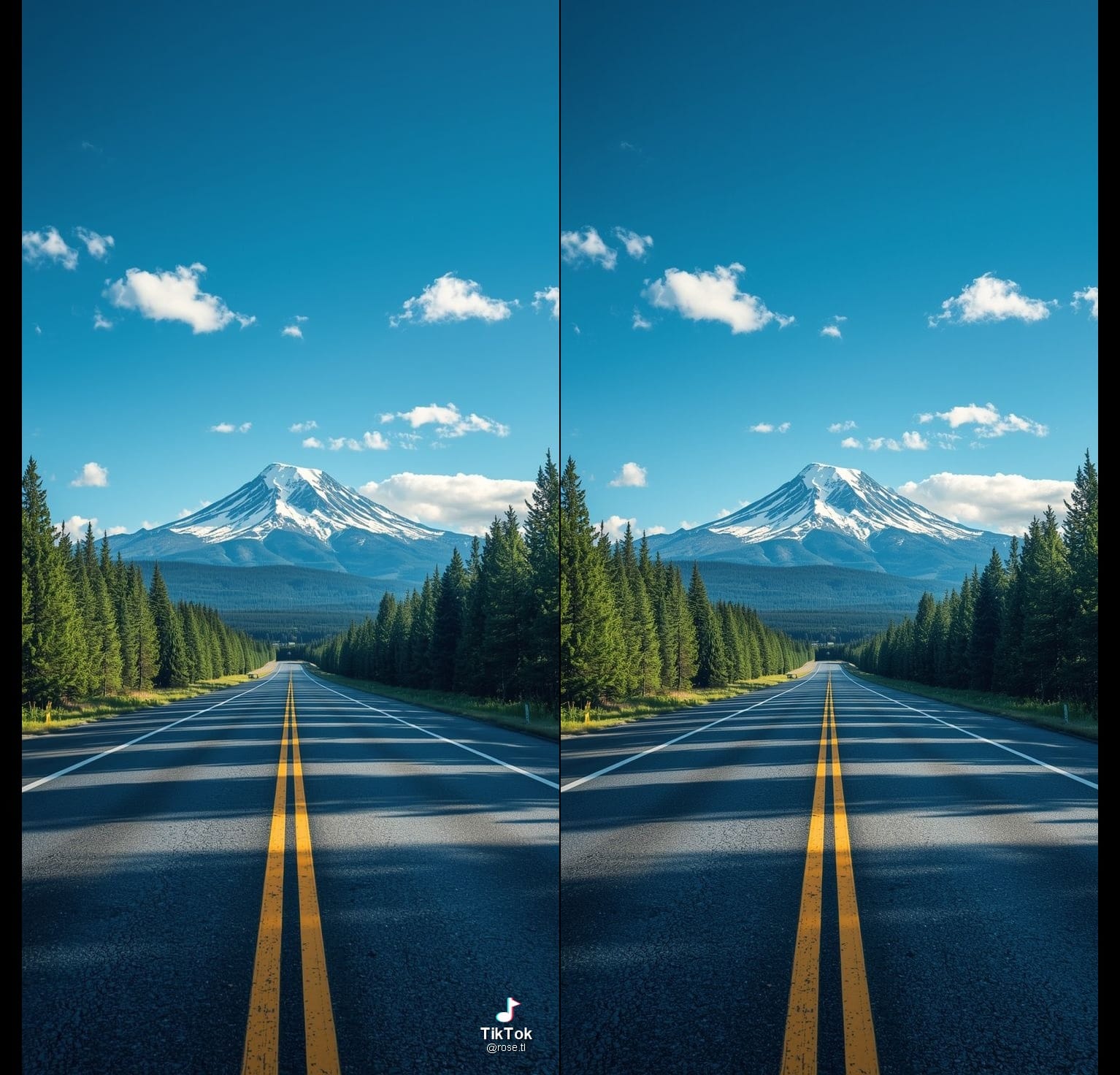
FlowChartAI maintained excellent image quality, earning 4.5/5 in our evaluation. Details remained sharp with very little quality loss. Magic Eraser watermark remover achieved 4.0/5, producing solid results but showing minor imperfections around edited areas. EZRemove and Pixbim both scored 3.5/5 because of more noticeable blur or reduced detail after processing.
- Ease of Use
Ease of use varied across the four tools, mainly depending on automation features and editing flexibility. MagicEraser and EZRemove provide both automated and manual removal modes, offering more flexibility for different use cases. Pixbim focuses on offline manual editing with adjustable controls, but requires software installation and a more traditional editing workflow. FlowChartAI uses a manual selection workflow, allowing users to add up to five watermark selection boxes that remain active throughout the video without frame-by-frame adjustments. However, it does not include an AI detection mode, so users need to manually select the watermark area.
- Pricing
Pricing varies considerably between platforms. FlowChartAI currently provides a three-month free trial for new users. MagicEraser and EZRemove both use credit-based pricing, charging one credit per second of processed video. Pixbim offers an offline desktop version, making it suitable for users who prefer local processing. If you're looking for a free remove watermark from video solution or want to remove watermark video free, comparing trial limits and credit systems is just as important as comparing AI performance.
- Processing Speed
Across our three 12-second test videos, MagicEraser, FlowChartAI, and EZRemove all averaged under one minute per video. Pixbim averaged approximately 1 minute and 35 seconds because it relies on desktop software and manual editing.
Final verdict
Choose FlowChartAI if you mainly edit short-form videos and value a simple workflow. Choose Pixbim if you prefer offline desktop editing. MagicEraser is suitable for occasional edits, while EZRemove is a practical option for larger or 4K videos. Ultimately, the best choice depends on your workflow, video size, and editing needs.
FAQ
- Is an online video watermark remover better than a desktop app?
Online AI watermark removers are generally faster and easier to use because they don't require installation and can process videos directly in a browser. Desktop software, such as Pixbim, offers local processing and more manual control, which may appeal to users who prioritize privacy or prefer offline editing. The better choice depends on whether you value convenience or desktop-based workflows.
- Is there a free AI video watermark remover?
Yes. Several AI tools offer a free video watermark remover through free trials or credit-based systems. FlowChartAI provides a free 3-month trial for new users, while Supawork AI and EZRemove offer free credits after registration. Most free plans include restrictions on processing time, upload size, or the number of videos you can edit.
- How can I remove a watermark from a video online without blur?
The best way to avoid blurry results is to use an AI video watermark remover that reconstructs the background instead of simply covering or cropping the watermark. In our comparison, FlowChartAI and MagicEraser produced relatively clean results in our comparison., maintaining sharp image quality with minimal visible artifacts. Videos with complex backgrounds may still require manual adjustments for the best results.
- Is EZRemove AI Video Watermark Remover worth using?
EZRemove is a practical choice if you frequently work with larger files, as it supports uploads up to 500 MB and 4K resolution. It also offers Auto Remove and Manual Painter modes for more control. However, our testing found that its watermark removal quality was slightly lower than FlowChartAI and Supawork AI, with more noticeable blur in complex scenes.
- Is Vmake AI Video Watermark Remover better than other tools?
Vmake AI Video Watermark Remover is another online option for removing watermarks, but we did not include it in this comparison. If you're evaluating different tools, consider factors such as output quality, processing speed, pricing, upload limits, and ease of use rather than relying on a single feature. Testing the same video across multiple platforms is often the best way to determine which tool fits your workflow.
저자에 대해