브라우저를 이용해 유튜브 영상을 4K MP4로 저장하는 방법(앱 없음)
긴 비행을 계획하거나 개인 아카이브를 편집 하시겠습니까? 필요하다면4K 로 YouTube 영화 저장실제 MP4 파일-앱 내부의 임시 오프라인 재생뿐만 아니라-워크 플로는 간단하고 빠르며 안전하게 유지되어야합니다. 이 가이드는 주요 접근 방식을 비교하고 각 접근 방식이 언제 이길 때를 설명하고무설치 브라우저 방법사용하여FlowChartAI의 YouTube 다운 로더.편집자 주:FlowChartAI는 제작자, 교육자 및 기록 보관자가 사용하는 브라우저 기반 비디오 도구를 구축합니다. 이와 같은 가이드를 게시하기 전에 Windows, macOS 및 모바일 Safari에서 다운로드 워크플로를 테스트합니다.
한눈에: YouTube 영화를 오프라인으로 유지하는 네 가지 방법
접근 | 이상적인 사용 케이스 | 비용 | 설정 시간 |
FlowChartAI (온라인) | 일회성 또는 일일 저장; 모든 장치에서 MP4/MOV | 무료 계층 (5 작업/일) | 1 분 미만 |
데스크탑 리퍼 | 대형 재생 목록; 불안정한 Wi-Fi | 무료 또는 유료 라이센스 | 10-20 분 |
유튜브 프리미엄 | 합법적 인 인앱 보기 만 | ~ $13.99/mo (지역은 다름) | 앱 설치 |
브라우저 애드온 | Chrome/Firefox를 조정하는 전원 사용자 | 무료 (설정 마찰) | 15-30 분 |
원하는 대부분의 독자들에게휴대용 MP4소프트웨어를 설치하지 않고 온라인 경로가 가장 빠른 경로입니다. 수십 개의 타이틀을 밤새 보관하는 전력 사용자는 여전히 데스크톱 도구를 선호 할 수 있습니다.
옵션 1: FlowChartAI로 온라인 영화 저장 (권장)
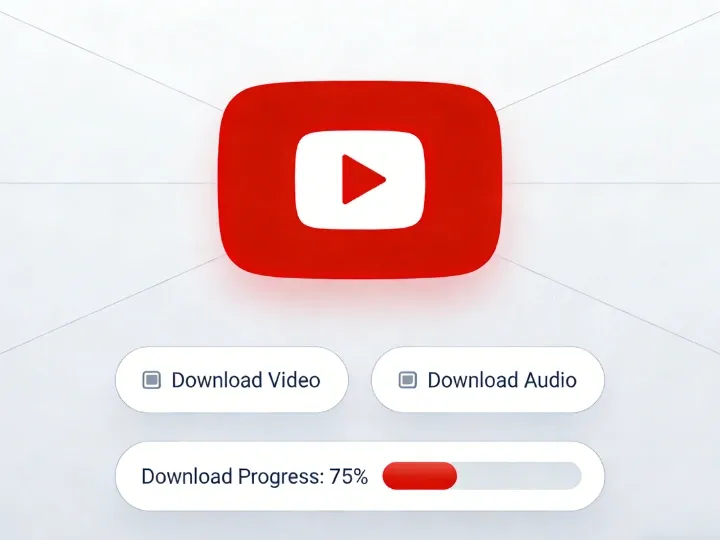
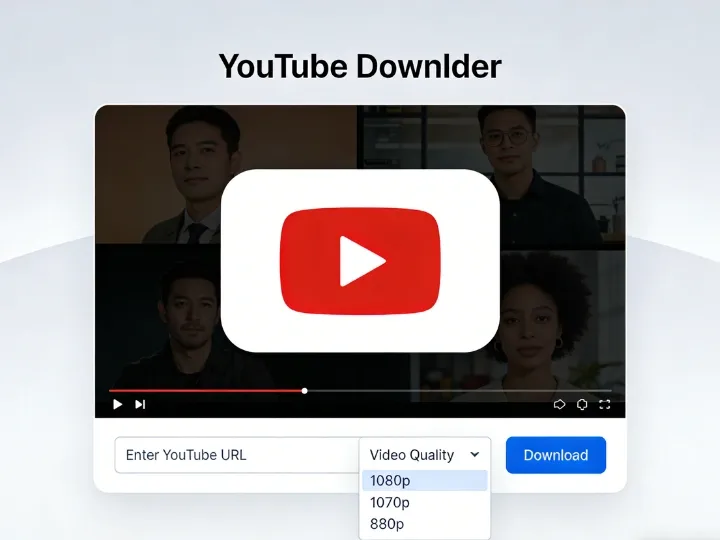
캡션: FlowChartAI의 YouTube 다운로더는 단일 비디오 또는 재생 목록 URL을 수락하고 브라우저에서 HD, 1080p 또는 4K 내보내기 옵션을 반환합니다. 웹 기반 변환기는 피합니다. Exe 설치 프로그램, 그늘진 도메인의 계정 가입 및 가짜 "다운로드" 버튼.플로우차트AI클라우드에서 구문 분석을 실행하여 기계가 완성 된 파일 만 수신합니다.
제작자가 브라우저 다운로더를 선택하는 이유
- 진정한 파일 소유권:MP4 또는 MOV를 받으면 USB 드라이브, TV 또는 편집기로 이동할 수 있습니다.
- 소스가 허용하는 경우 4K:많은 레거시 사이트는 무료 사용자를 720p 로 제한합니다. FlowChartAI는 최대4KYouTube가 해당 스트림을 제공 할 때.
- 반바지, 재생 목록 및 표준 업로드:작업 당 하나의 링크-영화, 다큐멘터리 또는 재생 목록 URL을 붙여 넣습니다.
- 크로스 플랫폼:데스크톱 및 휴대 전화에서 Chrome, Edge, Firefox 및 Safari에서 작동합니다.
5 단계 워크플로
- YouTube에서 영화 열기주소 표시 줄에서 전체 URL을 복사합니다 (포함? 관련된 경우 v = 또는 재생 목록 매개 변수).
- 방문:Flowchartai. tech/youtube-다운 로더.
- 링크 붙여 넣기입력 상자에 (작업 당 하나의 URL).
- 형식 및 해상도 선택-일반적으로MP4에서1080p또는4K영화 콘텐츠를 위해.
- 클릭 파스 & 다운로드브라우저 프롬프트가 나타나면 파일을 저장하십시오.
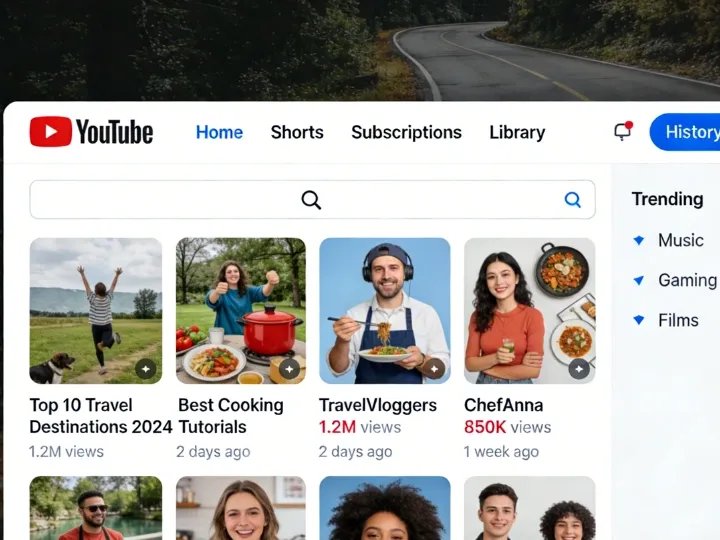
캡션: 구문 분석 후 MP4 또는 MOV 및 해당 업로드에 사용할 수있는 최고 품질의 계층을 선택하십시오.아이폰에:Safari를 사용하고 내장 다운로드 관리자 (주소 표시 줄의 파란색 화살표) 를 통해 다운로드 한 다음공유 → 비디오 저장클립을 사진 또는 파일로 이동합니다.
무료 계층 및 업그레이드
FlowChartAI 제공하루에 5 개의 무료 세대다운 로더에. 무거운 아카이브는 더 많은 일일 작업과 빠른 대기열 우선 순위를 위해 업그레이드 할 수 있습니다.가격 설정현재 제한을위한 페이지.
옵션 2: 대량 보관을위한 데스크톱 소프트웨어
캡션: 하룻밤 사이에 수십 개의 장편 타이틀을 줄이면 데스크톱 앱이 빛납니다. 필요할 때동영상 50 개자막 트랙 또는 벗겨지기 쉬운 연결에서 살아남은 다운로드, 설치된 리퍼는 여전히 중요합니다. 업계 이름 포함4K 비디오 다운 로더오픈 소스Yt-dlp(로그인 비디오에 대한 동반자 안내서 참조).전형적인 데스크탑 흐름:
- 에서 설치공식 공급 업체 사이트오직.
- YouTube URL 복사 →붙여 넣기 링크앱에서.
- 선택하다MP4, 해상도 (제공되는 경우 4K/8K) 및 출력 폴더.
- 대기열을 실행하게하십시오. 오디오가 mux인지 확인하십시오 (최신 도구는 비디오 오디오를 자동으로 병합합니다).
트레이드 오프:YouTube가 플레이어를 변경할 때 디스크 공간, 업데이트 유지 보수 및 가끔 파손됩니다. 여행 전 단일 영화의 경우 FlowChartAI는 일반적으로 더 빠릅니다.
옵션 3: 유튜브 프리미엄 (공식, 인앱 전용)
프리미엄을 사용하면 오프라인 시청을 위해 YouTube 모바일 앱에서 다운로드 할 수 있습니다. 그것은가장 호환독립형 파일이 필요하지 않은 경우 경로.
혜택 | 제한 |
법률, 창조자 지원 | 파일은 앱 내에서 암호화 상태를 유지합니다. |
타사 위험 없음 | MP4 를 Premiere 또는 스마트 TV USB 포트로 끌 수 없습니다. |
간단한 탭 투 다운로드 | 구독이 만료되면 다운로드 만료 |
편의가 소유권을 능가 할 때 프리미엄을 선택하십시오. 선택MP4 워크플로편집하거나 오프라인으로 표시하거나 영원히 저장할 때.
옵션 4: 확장 및 "원 클릭" 버튼
Google은 YouTube를 직접 리핑하는 Chrome 웹 스토어 확장을 제한합니다. 해결 방법 (도우미 확장, 사용자 스크립트, Firefox 브리지) 이 존재하지만 추가설정 시간 및 보안 검토. 가끔 영화를 저장하는 경우 브라우저 수정을 건너 뜁니다.온라인 유튜브 다운 로더대신.
나란히: 올바른 도구 따기
기능 | FlowChartAI (브라우저) | 데스크톱 앱 | 유튜브 프리미엄 | 일반 거울 사이트 |
최대 해상도 | 최대 4K (소스 종속) | 종종 4K/8K | 모바일에서 최대 1080p | 종종 720p 무료 |
설치 | 없음 | 필수 | 앱 전용 | 없음 |
파일 형식 | MP4 / MOV | MP4 / MKV | 암호화 된 캐시 | MP4 (변수) |
광고/안전 | 제품 UI, 팝업 미로 없음 | 공식적인 경우 안전 | 안전한 | 높은 악성 화 위험 |
재생 목록 및 반바지 | 지원 (작업 당 하나의 링크) | 강력한 배치 모드 | 인앱 전용 | 일관되지 않은 |
해상도 현실 점검
YouTube는 고해상도를 위해 별도의 오디오 및 비디오 스트림을 저장합니다. 오래된 도구는 조용한 4K 비디오를 제공 할 수 있습니다. FlowChartAI 및 평판 좋은 데스크톱 앱Mux따라서 재생은 동기화 상태로 유지됩니다. 항상 다운로드 후 첫 번째 분을 확인하십시오.
안전, 저작권 및 E-E-A-T 노트
우리 팀은 사용자가 만들 수 있도록 이러한 가이드를 게시합니다.정보에 입각, 합법적선택-불법 복제를 장려하는 것이 아닙니다.
저작권 및 개인 사용
프리미엄 또는 권리 보유자가 허용하는 경우를 제외하고 YouTube의 서비스 약관 다운로드 제한. 많은 관할권에서,개인 오프라인 백업이미 볼 수있는 권한이있는 콘텐츠는 일반적인 관행이지만다시 업로드, 판매 또는 공개 재분배침해로 넘어갑니다.실용적인 규칙:볼 수있는 것만 저장하십시오. 파일을 비공개로 유지하십시오. Creative Commons 및 스튜디오 라이센스를 존중하십시오.
맬웨어 위생
- 데스크톱 "가속기" 또는 브라우저 도구 모음을 요구하는 사이트는 피하십시오.
- 선호하다구름 파싱(알 수 없습니다. 귀하의 PC에 exe).
- OS와 브라우저를 업데이트하십시오. 신뢰할 수없는 거울에서 다운로드를 스캔하십시오.
FlowChartAI는 브라우저에서 HTTPS를 통해 링크를 처리합니다. 컴퓨터에 대한 원격 데스크톱 액세스를 허용하지 않습니다.
자주 묻는 질문
YouTube에서 4K 로 전체 영화를 무료로 저장할 수 있습니까?
예, 4K 에서 업로드를 사용할 수 있고 도구가 결합 된 스트림에 액세스 할 때. URL을 붙여 넣습니다.FlowChartAI의 다운 로더MP4 를 선택하고 나열된 상단 해상도를 선택하십시오.
저장된 파일이 거대하거나 오디오가없는 이유는 무엇입니까?
큰 4K 파일은 정상입니다. 누락 된 사운드는 일반적으로 도구가 최신 변환기와 오디오 및 비디오 재시도를 병합하지 못하거나 더 널리 지원되는 1080p MP4 를 선택하지 못했음을 의미합니다.
YouTube 반바지 및 재생 목록에서 작동합니까?
FlowChartAI 지원반바지, 표준 비디오 및 재생 목록(작업당 하나의 링크). 대규모 채널의 경우 단일 URL을 테스트 한 후 데스크톱 큐 도구를 고려하십시오.
안드로이드 대 아이폰?
둘 다 모바일 브라우저를 사용할 수 있습니다. IOS 사용자는사파리안정적인 다운로드 프롬프트를 위해; 안드로이드 사용자는 Chrome 또는 Firefox를 유사하게 사용할 수 있습니다.
YouTube Premium 다운로드와 어떻게 다른가요?
프리미엄은 암호화 된 오프라인 복사본을 앱 내에 보관합니다. 한MP4 다운로드편집하거나 TV에 미러링하거나 제어 할 수있는 클라우드 백업에 저장할 수있는 파일을 제공합니다.
결론: 액세스 대 소유권
액세스(프리미엄) 마찰이없고 공식적입니다.소유권(드라이브의 MP4) 는 하나의 앱보다 오래 지속되는 파일이 필요한 편집자, 여행자 및 교육자에게 적합합니다. 이번 주말에 영화를 저장하는 대부분의 사람들은 브라우저로 시작하십시오.FlowChartAI 유튜브 다운 로더링크를 붙여 넣고 4K 또는 1080p MP4 를 선택하고 다운로드-설치가 필요하지 않습니다.
저자에 대해