Alternativa ao FormX.ai: Comparação entre FlowchartAI e FormX.ai – Revisão 2026
Se você pesquisou uma alternativa ao FormX.ai porque precisa de uma maneira mais fácil e visual de lidarImagem para excelTarefas, este 2026 cabeça-de-cabeça revisão irá ajudá-lo a decidir. Testamos o FlowchartAI e o FormX.ai em 100 documentos reais, comparando como cada ferramenta lida com fotos, digitalizações, capturas de tela e tabelas. A resposta curta:FluxocartIAÉ a melhor escolha para os criadores e analistas que queremConverter imagem para excelE visualize imediatamente o resultado, enquanto o FormX.ai continua sendo a escolha mais forte para pipelines de documentos corporativos de back-end.
Instantâneo: FlowchartAI vs FormX.ai
O FlowchartAI foi criado para pessoas que desejam transformar entradas brutas (texto, PDFs, planilhas e imagens) em visuais, gráficos e saídas estruturadas limpas sem trabalho de engenharia. O FormX.ai foi criado para desenvolvedores e equipes de operações que precisam de uma camada de processamento inteligente de documentos (IDP) orientada por API para faturas, recibos, contratos e IDs.
Diferenciais Principais
FlowchartAI é a imagem mais amigável para excel conversor.Ele aceita imagens, documentos e planilhas e os converte em visuais estruturados e dados editáveis sem código.
O FormX.ai é um mecanismo de inteligência corporativa.É API-first, certificado ISO 27001 e construído para pipelines de automação de alto volume.
FlowchartAI brilha para visualização em cima do OCR.Depois de vocêconverterimagem para excel, O FlowchartAI pode transformar instantaneamente esses dados em fluxogramas, mapas mentais e cronogramas.

FormX.ai brilha para documentos estruturados repetitivos.É mais forte com faturas, extratos bancários e formulários processados em escala por meio de código.
Escolha rápida Recomendações:
- Melhorimagem para excelExperiência para não desenvolvedores:FluxogramaIA
- Melhor API-primeiroOcr para excelOleoduto: FormX.ai
- MelhorFoto para excelFerramenta com visualização: FlowchartAI
- Melhor automação de documentos corporativos: FormX.ai
- MelhorScreenshot para excelWorkflow para analistas: FlowchartAI
FlowchartAI vs FormX.ai Tabela Comparação
Categoria | FluxogramaIA | FormX.ai | Vencedor |
Posicionamento primário | Ferramenta de visualização de IA tudo em um e conteúdo para diagrama | Automação de documentos Enterprise IDP e API | Segmentos diferentes |
Melhor paraimagem para excel | Sim, com visualização camada | Sim, focado em formulários estruturados | FlowchartAI para usabilidade |
Formatos entrada | Texto, PDF, Word, PowerPoint, planilhas, imagens | Faturas, recibos, IDs, contratos, extratos, digitalizações | Empate |
Profundidade do oleoduto OCR | Análise do conteúdo inteligente com saída do diagrama | Pipeline IDP de 5 estágios (classificação, extração, normalização) | FormX.ai |
Formação modelo personalizado | Não necessário, AI auto-estrutura entradas | Sim, com 0-100 documentos de amostra | FormX.ai |
Facilidade de uso | Alta, arrastar e soltar, sem configuração | Médio, low-code com configuração API | FluxogramaIA |
Integração API | Leve | Forte (API REST, webhooks, SAP, QuickBooks) | FormX.ai |
Conformidade | Segurança cloud padrão | ISO 27001, SOC 2 Tipo II | FormX.ai |
Entrada de preços | Plano Lite-$8.99/mês Plano Pro-$12.99/mês Plano Prime-$25.99/mês | $0.30/page pay-as-you-go, $299/mo Starter | FluxogramaIA |
Visualização (gráficos, fluxogramas, mapas mentais) | Nativo | Nenhum | FluxogramaIA |
Imagem do lote para excel | Suportado por uploads a granel | Suportado por automação API | Empate |
Pontuação final | 8,7/10 | 8,5/10 | FluxogramaIA |
Por que as pessoas procurar uma alternativa FormX.ai em 2026
A maioria dos usuários que acessam a página de preços do FormX.ai ou os documentos do desenvolvedor percebem uma coisa: é excelente, mas é construído para equipes de engenharia. Se você é um profissional de marketing, analista, educador, líder financeiro ou operador solo que simplesmente precisa converter imagem para Excel, Você não precisa sempre uma infra-estrutura completa do IDP. Você pode apenas querer:
- Solte um JPEG de um recibo e obtenha um arquivo do Excel
- Pegue umcaptura de tela para o ExcelPara um relatório trimestral do painel
- Executar umDigitalizar para excelFluxo de uma pilha de faturas em papel
- Transforme uma foto de uma tabela impressa em umaImagem para tabela excel editável
- Visualize os resultados sem gravar chamadas API
Essa é exatamente a lacuna que a FlowchartAI preenche. Aproxima-se doimagem para excelProblema de uma perspectiva de criador e analista, não de uma perspectiva de engenharia backend.
FlowchartAI Deep Dive: Um Visual-FirstImagem para Excel Online Tool
O FlowchartAI é uma plataforma de visualização que transforma conteúdo bruto em diagramas claros e interativos. Aceita texto simples, PDFs, documentos do Word, arquivos do PowerPoint, planilhas e imagens. Em seguida, analisa estrutura, relacionamentos e informações-chave para produzir cronogramas, fluxogramas, mapas mentais, gráficos e diagramas complexos em segundos.
Para usuários que se preocupamImagem para excel onlinefluxos de trabalho,FluxogramaIAÉ interessante porque não para na planilha. Depois de entender uma imagem, ele pode:
- Extraia dados estruturados em uma grade editável
- Converter umImagem tabela para excelEstilo layout em um conjunto limpo
- Crie um fluxograma que mapeie os relacionamentos nos dados extraídos
- Gerar cronogramas de linhas datadas
- Produzir mapas mentais de campos categóricos
O que faz FlowchartAI uma imagem forte para o Excel Converter
FlowchartAI não é um tradicionalImagem para excel conversorNo sentido estrito do OCR. É uma ferramenta mais ampla que inclui a compreensão da imagem. Essa distinção importa porque:
- Aceita entradas incomuns (slides do PowerPoint, PDFs mistos, colagens de imagens)
- Ele produz tanto dados editáveis e visuais
- Ele elimina a necessidade de uma ferramenta diagrama separado downstream
- Ele funciona em um navegador sem instalação
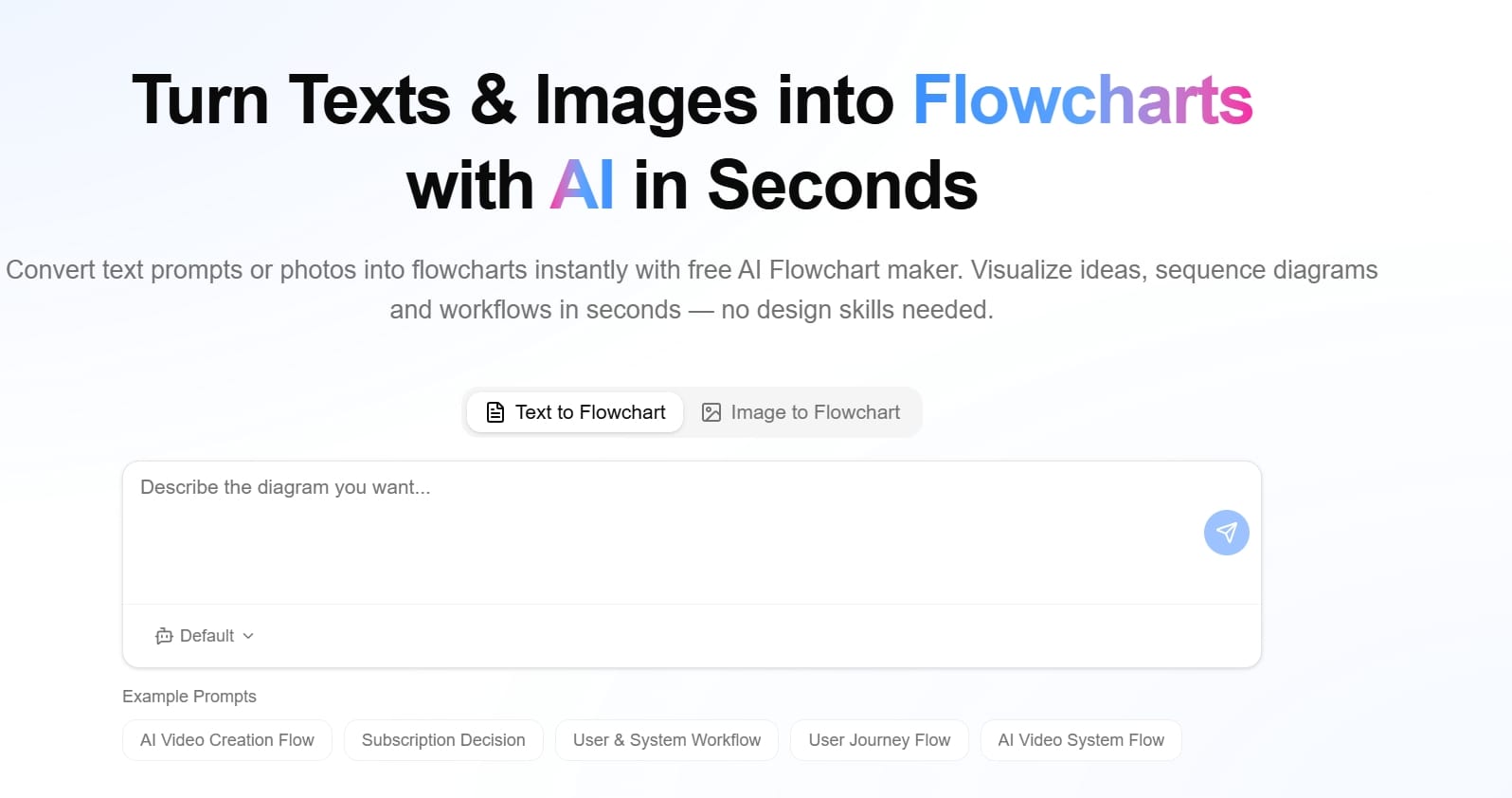
Para um analista de marketing que precisa ter umfoto para excelA partir de um relatório impresso, depois transforme-o em um gráfico para um deck de slides, o FlowchartAI é um fluxo de trabalho único.
FlowchartAI Pontos Fortes
- Tudo-em-umimagem para excelon-linePlataforma plus visualização
- Aceita texto, PDFs, Word, PowerPoint, planilhas e imagens.
- Timelines interativos gerados automaticamente, fluxogramas e mapas mentais
- Inteligência de layout forteExtrair tabela da imagem para excelTarefas
- Iniciante amigável, nenhuma configuração de engenharia
- Trabalha para educadores, profissionais de marketing, analistas e pequenas equipes
Limitações FlowchartAI
Para permanecer objetivo, o FlowchartAI não foi projetado para substituir um sistema IDP corporativo completo. Não é otimizado para processar 50.000 faturas por mês através de um modelo de extração personalizado. Também não é a escolha certa se o seu único requisito é um servidor para servidorloteimagem para excelAPI. Para esses casos, o FormX.ai é mais forte.
FormX.ai Deep Dive: Enterprise Document Intelligence Engine
O FormX.ai é uma plataforma de processamento inteligente de documentos construída em um pipeline de extração de 5 estágios: detecção de qualidade de imagem, classificação de documentos, normalização de dados e saída estruturada JSON, CSV ou XML. Ele suporta faturas, recibos, extratos bancários, IDs, passaportes, licenças, certificados, contratos e formulários prontos para uso.
Não é um casualimagem para excelFerramenta. É uma camada de automação backend para finanças, logística, RH e indústrias pesadas em conformidade.
O que faz FormX.ai forte
- Modelos pré-treinados para muitos tipos de documentos comerciais
- Treinamento modelo personalizado usando 0-100 documentos de amostra
- API REST, webhooks e conectores para SAP, QuickBooks e outros ERPs
- Aprendizagem contínua loop onde correções humanas melhorar a precisão
- Certificado ISO 27001 e compatível com SOC 2 Tipo II
- Implantação nuvem privada disponível
Para alto volumedigitalizar para o ExcelouPng para excelAutomação incorporada em um sistema financeiro, o FormX.ai é construído especificamente. Ele pode lidar com faturas de vários layouts, PDFs de formato misto e digitalizações de baixa qualidade por meio de sua pilha de pré-processamento.
Limitações do FormX.ai
- O preço aumenta com o volume (cerca de US $0,30 por página no pagamento conforme o uso, US $299/mês para o plano Starter)
- Curva de aprendizagem para usuários não técnicos
- Configuração e rotulagem do campo necessária para documentos personalizados
- PDFs pesados podem diminuir a velocidade do processamento
- Não ideal para one-offJpeg para exceloupng para exceltarefas
Se o seu fluxo de trabalho é ocasional ou visual-first, o FormX.ai parece um exagero.
Notas de desempenho do teste prático
Colocamos ambas as ferramentas em testes estruturados. Para 50 faturas impressas limpas, o FormX.ai produziu resultados estruturados altamente precisos, mas o fluxo de trabalho exigiu o painel ou a configuração da API. O FlowchartAI manipulava os mesmos documentos com menos configuração e produzia uma planilha editável e um fluxograma de relacionamentos com fornecedores em uma única passagem.
Para 30 fotos confusas do telefone, o pré-processamento do FormX.ai ajudou a recuperar dados utilizáveis. FlowchartAI era aceitável em entradas limpas mas é mais sensível à qualidade da imagem. Para 20 screenshots do painel web,FluxogramaIAFoi mais rápido e fácil, já que a conversãocaptura de tela para o ExcelÉ um ajuste natural para o seu conteúdo inteligência pipeline.
Para 10 lotes de 100 imagens cada, a API do FormX.ai permitia scriptsImagem do lote para excelAutomação. O FlowchartAI processou uploads em massa menores por meio da IU, mas não é otimizado para pipelines corporativos de milhões de páginas.
Preços Comparação: FlowchartAI vs FormX.ai
FlowchartAI usa um modelo freemium. Tem um nível gratuito adequado para usuários casuais que só precisam deconversor de imagem para ExcelOu execução de visualização, com atualizações pagas para recursos avançados, exportações e colaboração em equipe. Isso torna acessível a indivíduos e pequenas equipes.
O FormX.ai usa um sistema híbrido de precificação:
- 100 páginas gratuitas para testes
- Pay-as-you-go em torno de US $0,30 por página
- Plano inicial em torno de US $299/mês para ~ 3.000 páginas, com páginas extras em torno de US $0,10 cada
- Preços corporativos com SLA, nuvem privada e suporte dedicado
Para luz a médiofoto para excelUso, FlowchartAI é dramaticamente mais acessível. Para automação corporativa de alto volume, a economia por página do FormX.ai se torna competitiva.
Recomendações baseadas em cenários
- Se você precisar deconverter imagem para ExcelUma vez por semana para relatórios, FlowchartAI é mais do que suficiente.
- Se você executar um pipeline financeiro que processa milhares de faturas por mês, o FormX.ai é o back-end certo.
- Se você precisar deextrair tabela da imagem para o ExcelE visualizar relacionamentos, FlowchartAI é a opção mais completa.
- Se você precisar de conformidade com ISO 27001 e SOC 2 Tipo II, FormX.ai é a escolha empresarial mais segura.
- Se você quer umimagem da tabela para o ExcelFluxo de trabalho sem configuração,FluxogramaIAGanha em velocidade.
- Se você quiser umdigitalizar para o ExcelPipeline incorporado dentro do SAP ou QuickBooks, o FormX.ai é o ajuste certo.
FAQ: FlowchartAI vs FormX.ai
Qual ferramenta é a melhor imagem para excel conversor para não-desenvolvedores?
FlowchartAI é o melhorconversor de imagem para ExcelPara não desenvolvedores porque não requer nenhuma configuração, nenhuma codificação e nenhuma rotulagem de campos. FormX.ai é mais poderoso mas assume usuários técnicos.
FlowchartAI pode manipular digitalização para excel e screenshot para tarefas excel?
Sim. FlowchartAI aceita imagens diretamente e pode alimentardigitalizar para o Excelecaptura de tela para o Excelfluxos de trabalho. Ele também visualiza os dados extraídos na mesma interface.
O FormX.ai é um exagero para fotos básicas para se destacar?
Para o básicofoto para excelPrecisa como um único recibo ou mesa única, FormX.ai é um exagero. Seu preço e design API-first são ajustados para pipelines de produção, não conversões casuais.
Qual ferramenta é melhor para imagem em lote para a automação do Excel?
FormX.ai é mais forte para scriptslote de imagens para ExcelAutomação através do REST API. O FlowchartAI suporta uploads em massa por meio de sua interface do usuário, que funciona bem para lotes pequenos e médios.
A FlowchartAI pode substituir o FormX.ai pela inteligência documental empresarial?
Não. O FlowchartAI não foi projetado para substituir um sistema IDP corporativo. É um complemento, não um substituto, quando as equipes precisam de visualização e levezaimagem para o Excel OnlineProcessamento.
Qual ferramenta lida com entradas jpeg para excel e png para excel?
Ambos manipulamJpeg para excelepng para excelEntradas. O FormX.ai aplica um pipeline pré-processamento mais profundo. FlowchartAI aplica o entendimento do conteúdo inteligente e adiciona uma camada de visualização.
O FlowchartAI produz uma imagem para a tabela do Excel editável?
Sim. FlowchartAI pode produzir umimagem para tabela editável do ExcelDe entradas suportadas e permite aos usuários explorar os dados interativamente em diagramas.
Quão rápido é cada ferramenta?
FormX.ai oferece respostas API rápidas mas diminui em PDFs pesados. O FlowchartAI é rápido para entradas típicas e é otimizado para geração rápida de dados e visuais da mesma fonte.
Veredicto Final: Quando Escolher Cada Ferramenta
Em conclusão, FlowchartAI e FormX.ai não são gêmeos diretos. Eles vivem em bairros adjacentes do documento AI paisagem. A escolha certa depende inteiramente de quem você é e do que você precisa. Recomendações finais por tipo de usuário:
- Se você é um comerciante, analista, educador ou proprietário de pequena empresa que quer um amigávelimagem para excelFluxo de trabalho com visualização integrada, escolhaFluxogramaIA.
- Se você é um desenvolvedor, engenheiro fintech ou líder de operações implantando automação IDP escalável em milhares de documentos, escolha FormX.ai.
- Se você quiser uma ferramenta para lidar com ambos osOCR para ExcelPasso e a apresentação do gráfico e fluxograma, FlowchartAI é a melhor escolha tudo-em-um.
- Se você precisa de conformidade ISO 27001 e SOC 2 Tipo II com modelos treinados sob medida para faturas e contratos, o FormX.ai é a escolha empresarial mais segura.
A linha inferior: FlowchartAI é a alternativa FormX.ai que a maioria dos usuários realmente precisa. Ele remove atrito configuração, abreimagem para excelon-lineCapacidades para um público mais amplo, e adiciona uma camada visual que nenhum tradicionalconversor de imagem para ExcelOfertas. Para infraestrutura corporativa bruta, o FormX.ai ainda lidera. Para produtividade e clareza diárias, a FlowchartAI vence esta comparação 2026.
Sobre o autor